
Instructions For API Key Generation
What this can be useful for?
An API key enables secure communication between Teamogy and external systems or integrations.
- Log in using the user account under which the API key will be generated.
The recommended approach is to use a dedicated programmatic user. Here is the short manual on how to create a programmatic user. - Navigate to:
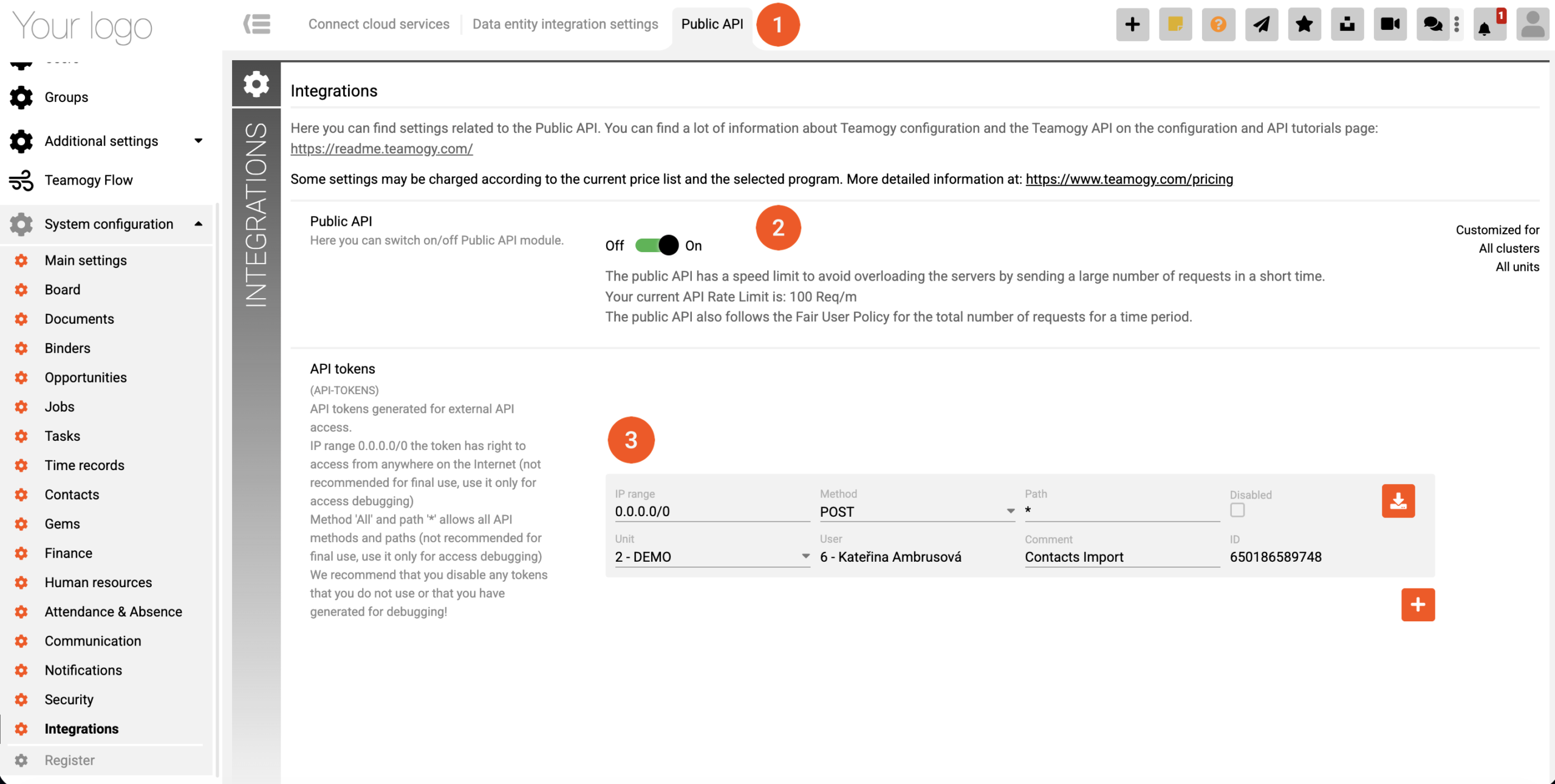
Configuration → System Configuration → Integrations → Public API (1) - Enable the API and generate the API key. (2), (3)
The API key remains valid as long as:
- the user who generated the key is active, and
- the API key is not manually disabled.
Get in Touch
If you have problem or need further assistance, do not hesitate contact Teamogy Support. Use online chat (inside Teamogy or everywhere on www.Teamogy.com in the lower right corner) and you will get prompt reply.