
Receiving Invoices from KSeF into Teamogy
Under the mandatory KSeF regime, supplier invoices are delivered and recorded through the government system in a structured format. Invoices are therefore no longer created as email PDF attachments but as standardized data available directly in KSeF.
Teamogy enables these invoices to be automatically received, validated, and processed directly within the system—before they are posted to accounting.
In the following chapters, we will explain:
- Why it makes sense to receive invoices from KSeF directly into Teamogy
- How to set up the receipt of invoices from KSeF into Teamogy
- How the processing of received KSeF invoices is designed in Teamogy
- Teamogy enables automatic receipt and registration of invoices from KSeF without the need for manual work.
- The system checks for duplicates and flags fraudulent invoices (supplier and bank account verification).
- Costs can be easily allocated to projects and overhead budgets, keeping project and company profitability under control.
- Invoices go through internal approval before being transferred to accounting.
- Accounting therefore receives already verified and prepared data, including cost allocations, project and overhead assignments, and other information required for proper posting and reporting.
To enable receiving invoices from KSeF into Teamogy, it is first necessary to configure the communication between Teamogy and KSeF. See the manual: To see more details click here.
Teamogy automatically checks at regular intervals (by default every hour) whether a new received invoice has appeared in KSeF. The user does not need to perform any manual action.
STEP 1 – Creating the Invoice in Teamogy
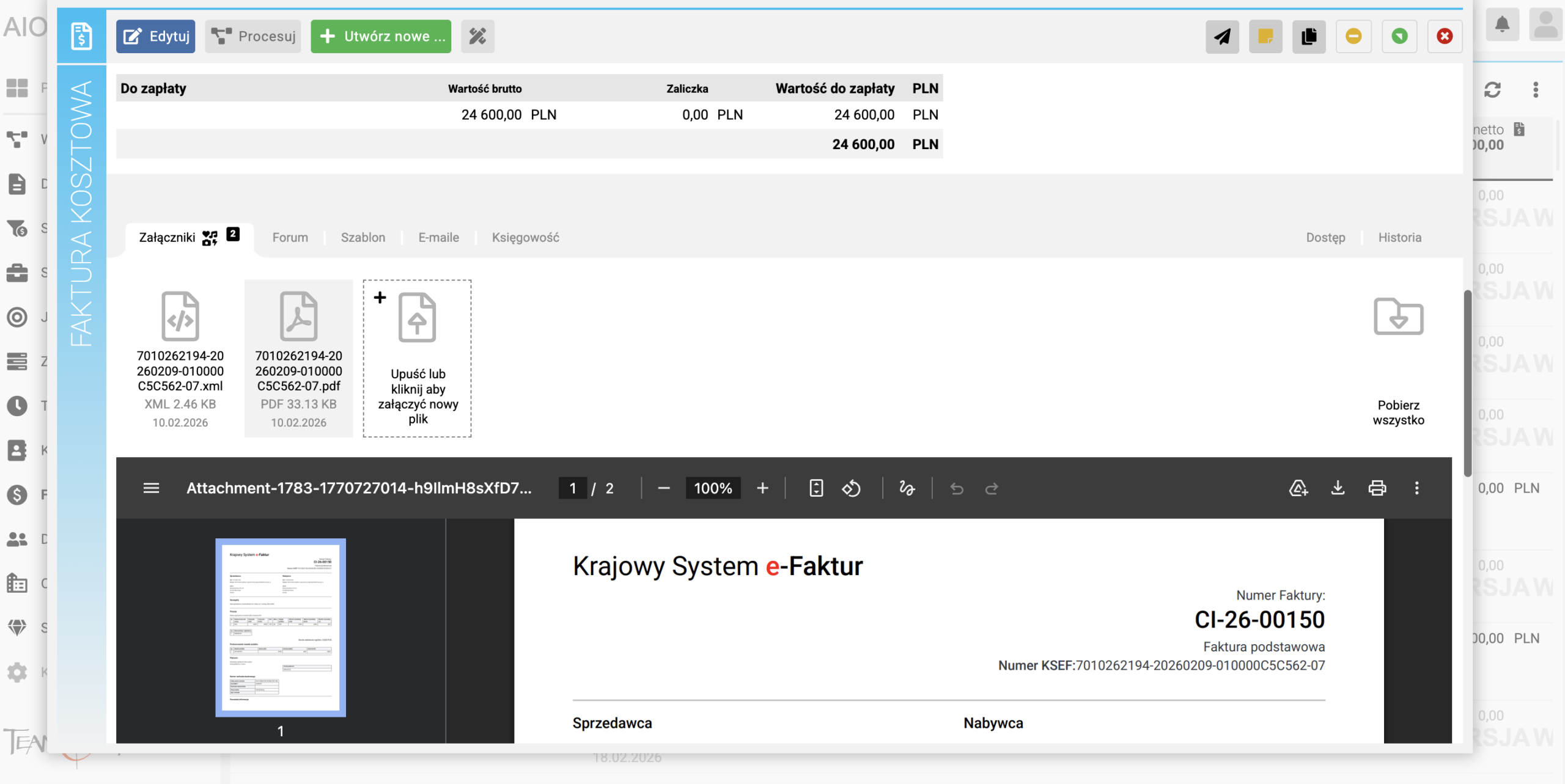
Once a new received invoice is detected in KSeF, Teamogy automatically downloads it and initiates the processing workflow. After the download from KSeF, the invoice is automatically created in Teamogy as a new supplier invoice.
STEP 2 – Duplicate Check
Teamogy verifies whether the same invoice has already been processed in the system. The check is performed based on the supplier’s identification number and the invoice number.
STEP 3 – Supplier Data Consistency Check
When an invoice is automatically created from KSeF, Teamogy compares the supplier data from the invoice with the data recorded in the Teamogy address book. The system highlights any discrepancies that may indicate data errors or potential risks.
What Is Checked:
1) Company Name (Name Consistency Check)
The company name stated on the invoice from KSeF is compared with the company name stored in Teamogy.
How the Check Is Performed
-
Names are first “cleaned” (diacritics, spaces, and special characters are removed).
-
The comparison is case-insensitive.
-
The objective is to detect real differences, not cosmetic variations in spelling.
Purpose of the Check:
To prevent situations where an invoice is received from a different entity than the one recorded in the address book, or where the supplier is registered under an incorrect name.
If Teamogy detects a discrepancy in any of the controlled data:
-
The invoice is not automatically rejected.
-
The system visibly highlights the discrepancy.
-
The final decision is always up to the user (verification, data correction, or invoice rejection).
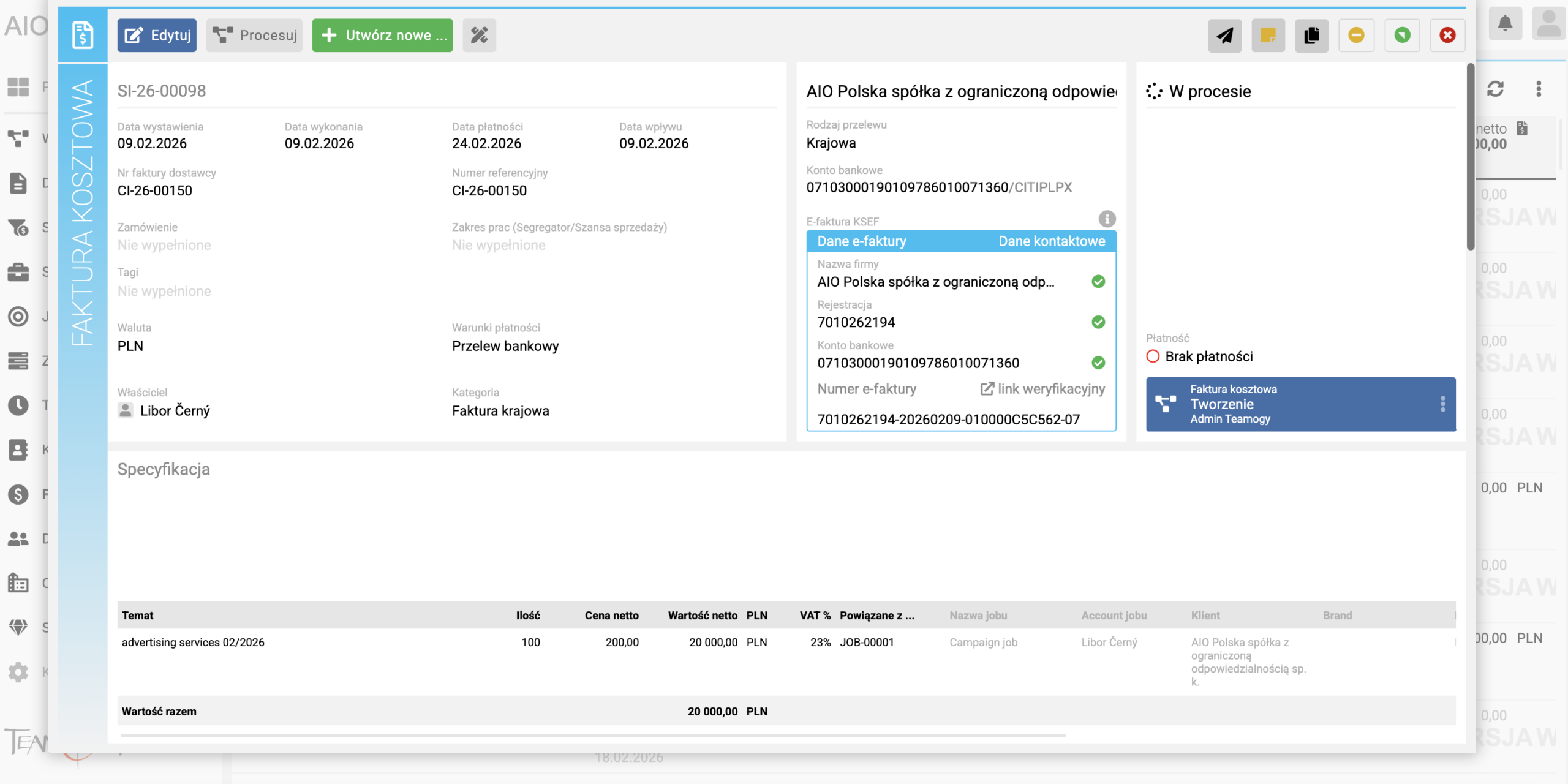
4) Line Item Editing and Project Allocation
Get in Touch
If you have problem or need further assistance, do not hesitate contact Teamogy Support. Use online chat (inside Teamogy or everywhere on www.Teamogy.com in the lower right corner) and you will get prompt reply.