
What’s New in Version 6.1
Release Date: January 17, 2026
Main new features in the version
- Redesigned Items and Financial Documents Table – We have thoroughly redesigned the finance table in jobs. It is now more intuitive, faster to work with, and ready for upcoming new functionalities.
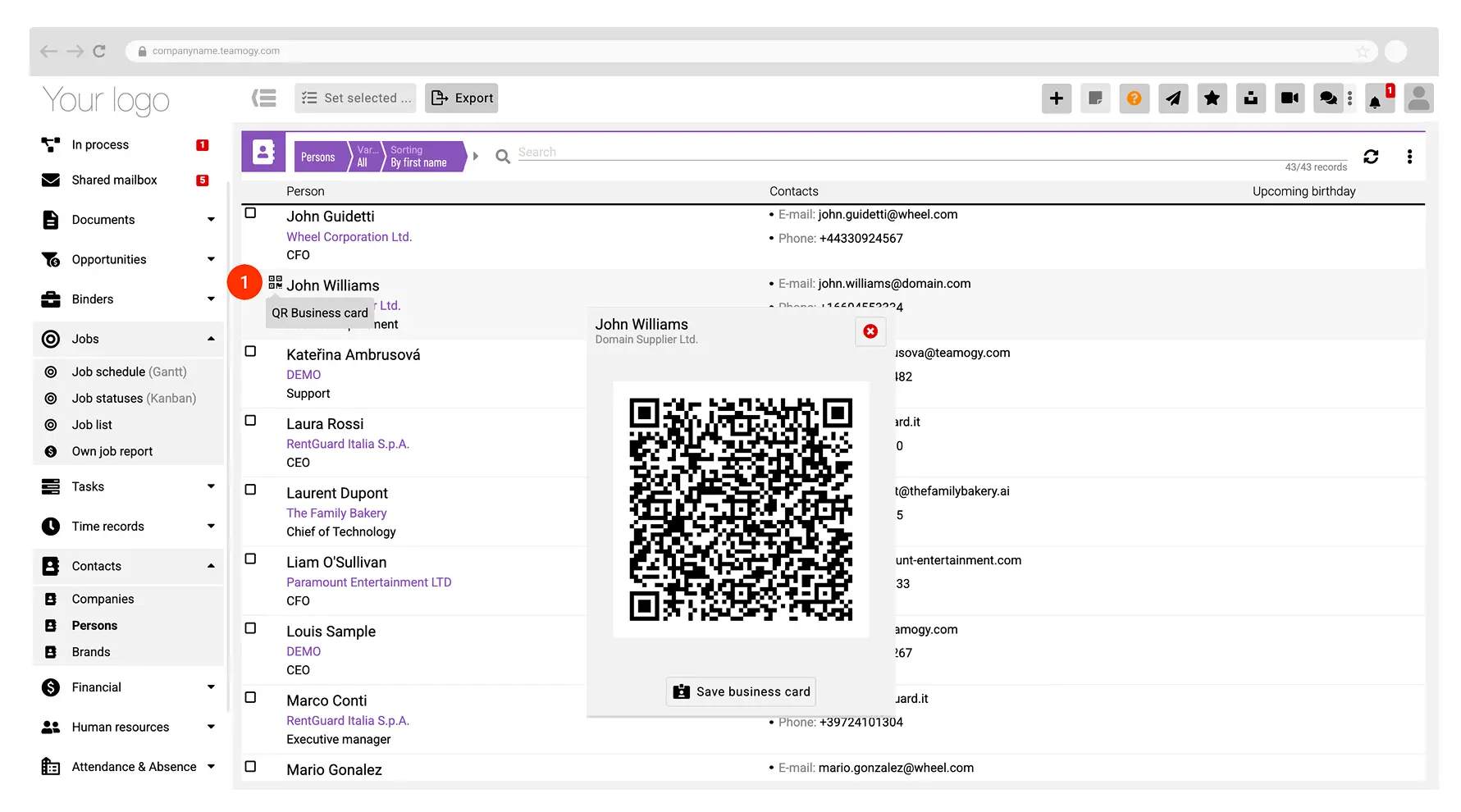
- QR Business Card and Easy Contact Sharing – You can now use a digital business card with a QR code. This allows you to instantly download a contact from Teamogy to your mobile device.
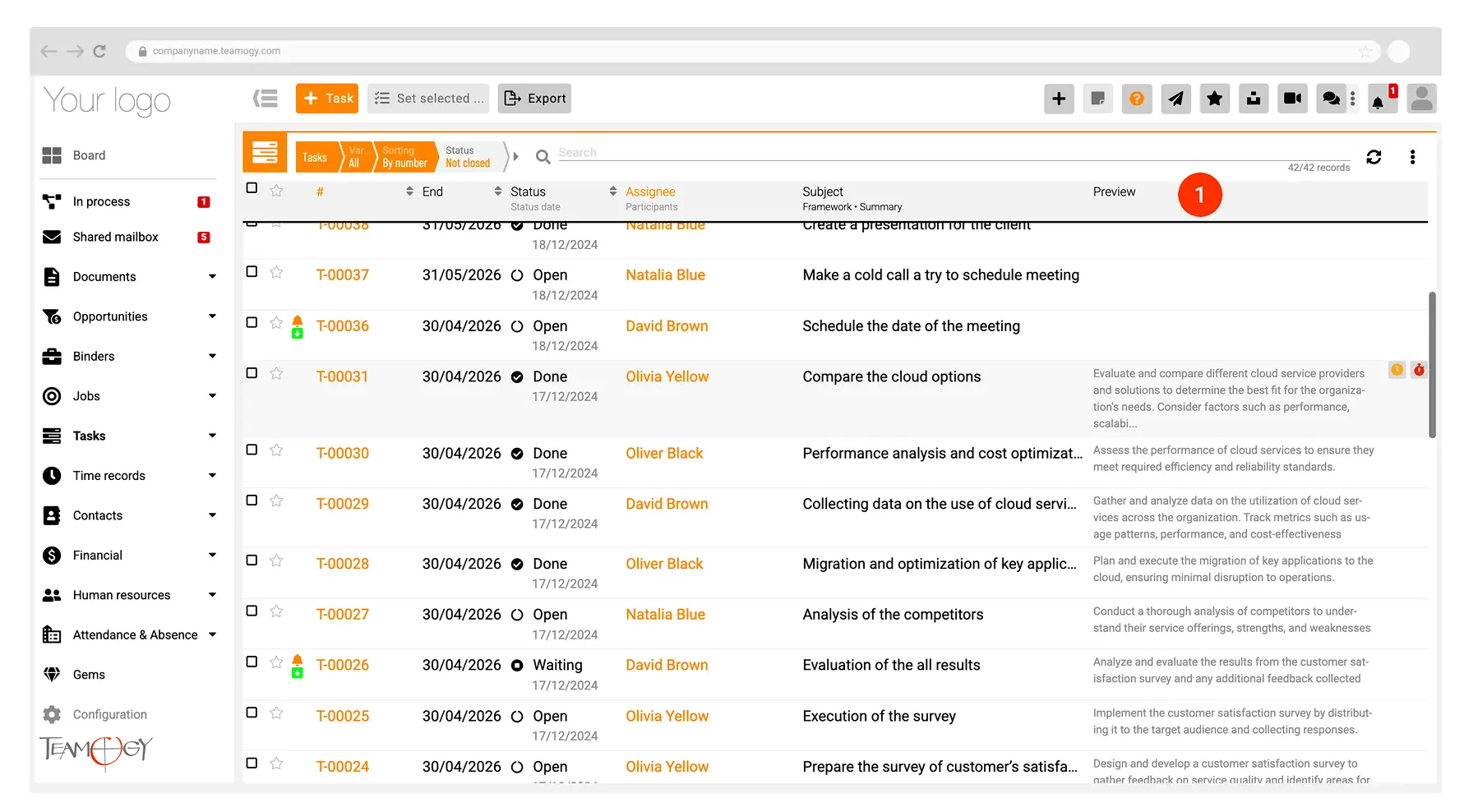
- Tasks – In task overviews, a new option has been added to display a preview of the task description directly in the table. The column is hidden by default and can be enabled as needed.
Enhancements
- Enhanced Invoice Duplication Check – The system now detects and references all duplicate invoices, not just the most recent ones.
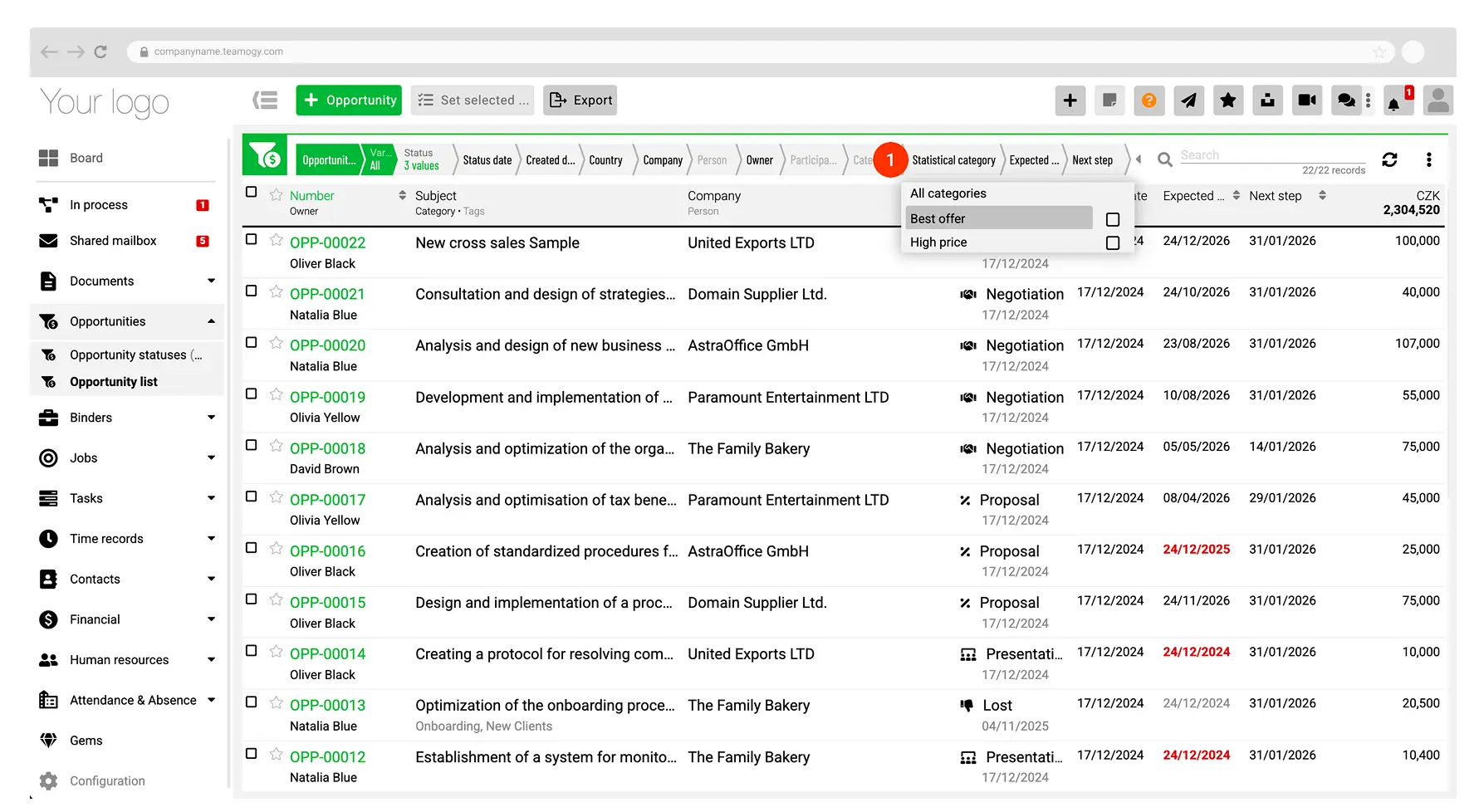
- Opportunities – We’ve added a new filter called “Statistical Category” to the search in the opportunity list.
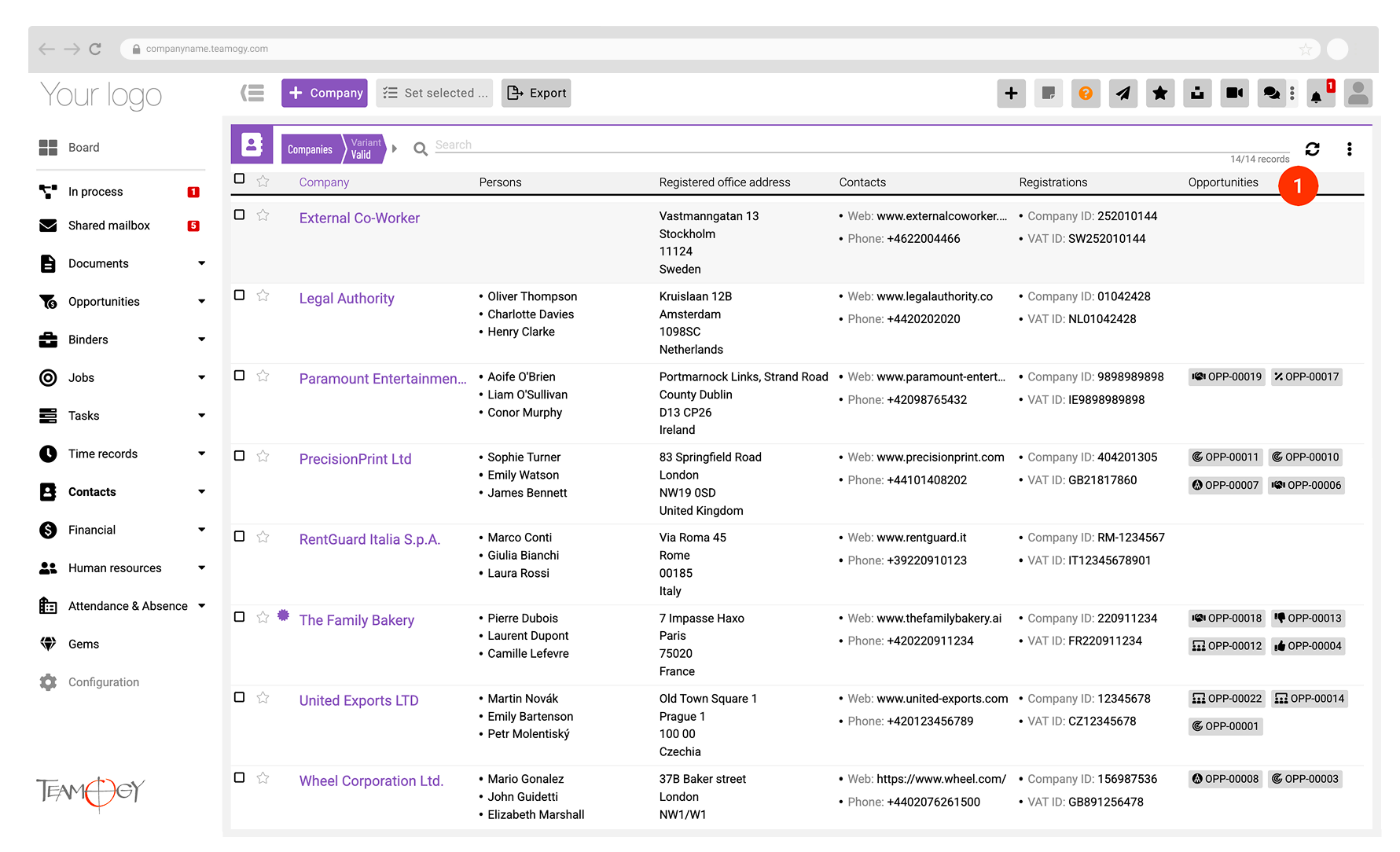
- Opportunities / Companies – In the “Companies” view, a list of active opportunities has been added, including direct links to them.
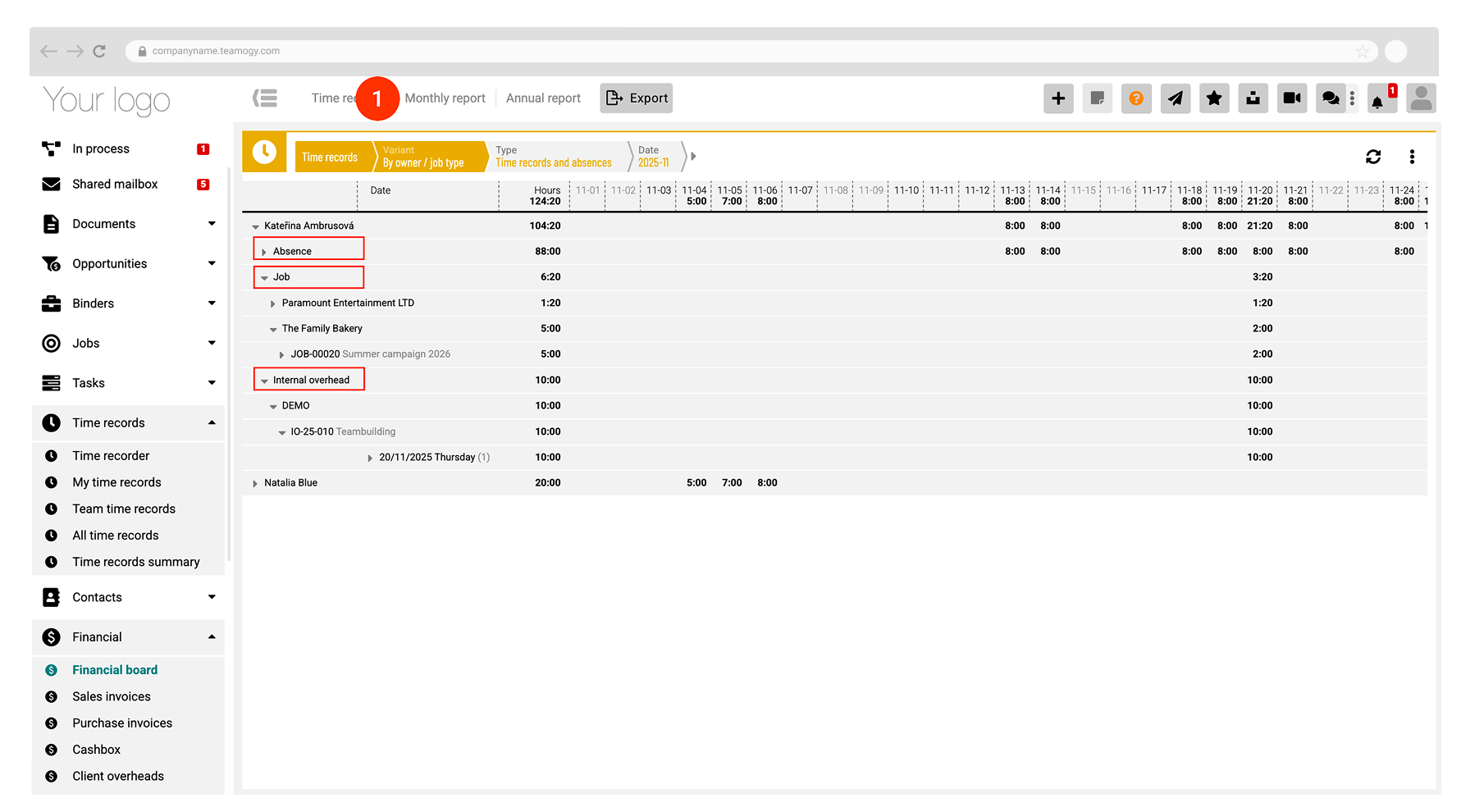
- Time Reports – A new summary view has been added, including the client and job name.
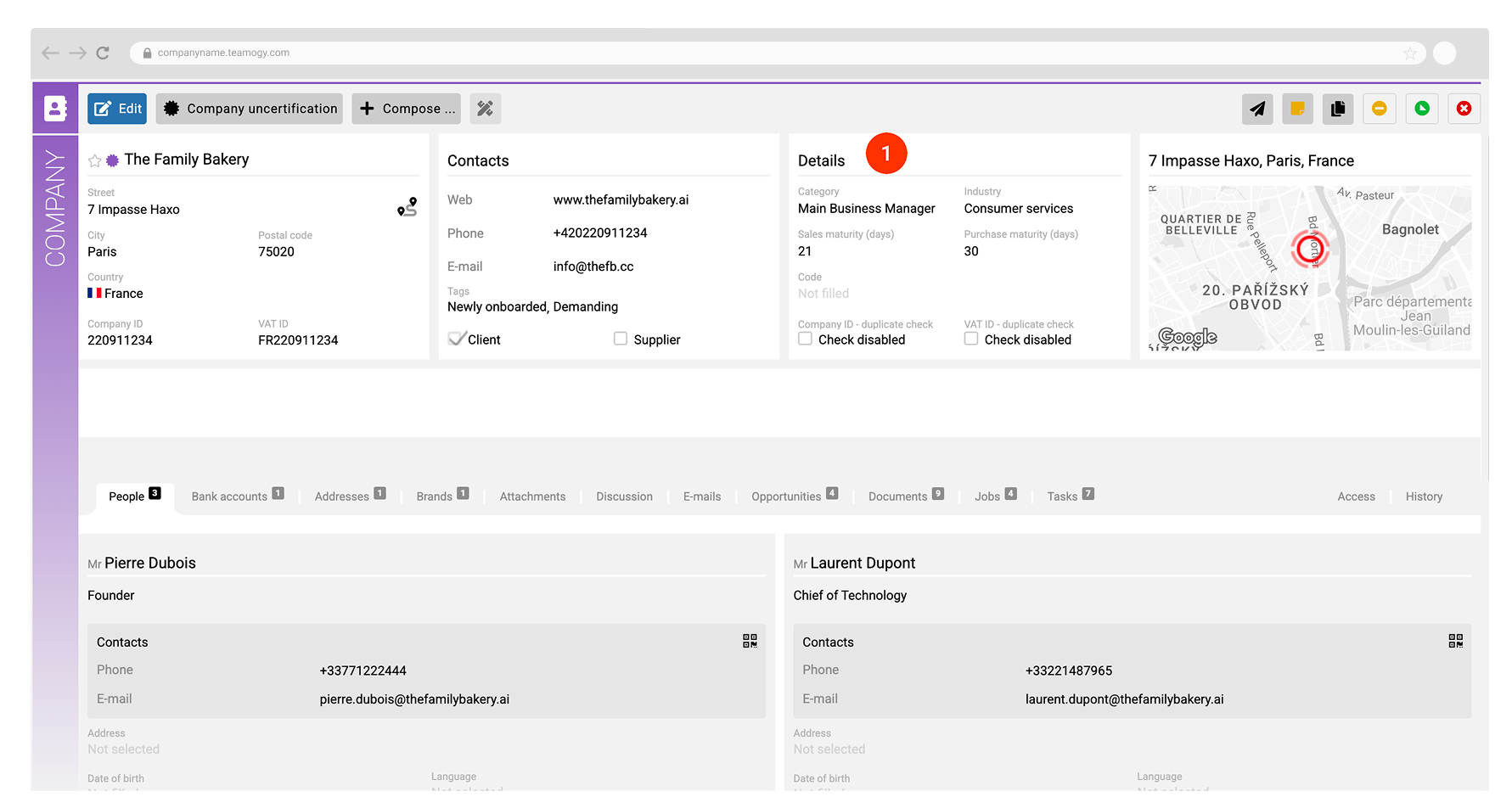
- Companies – A change has been made to the company detail level. The original “Details” tab has been moved into the main part of the contact form.
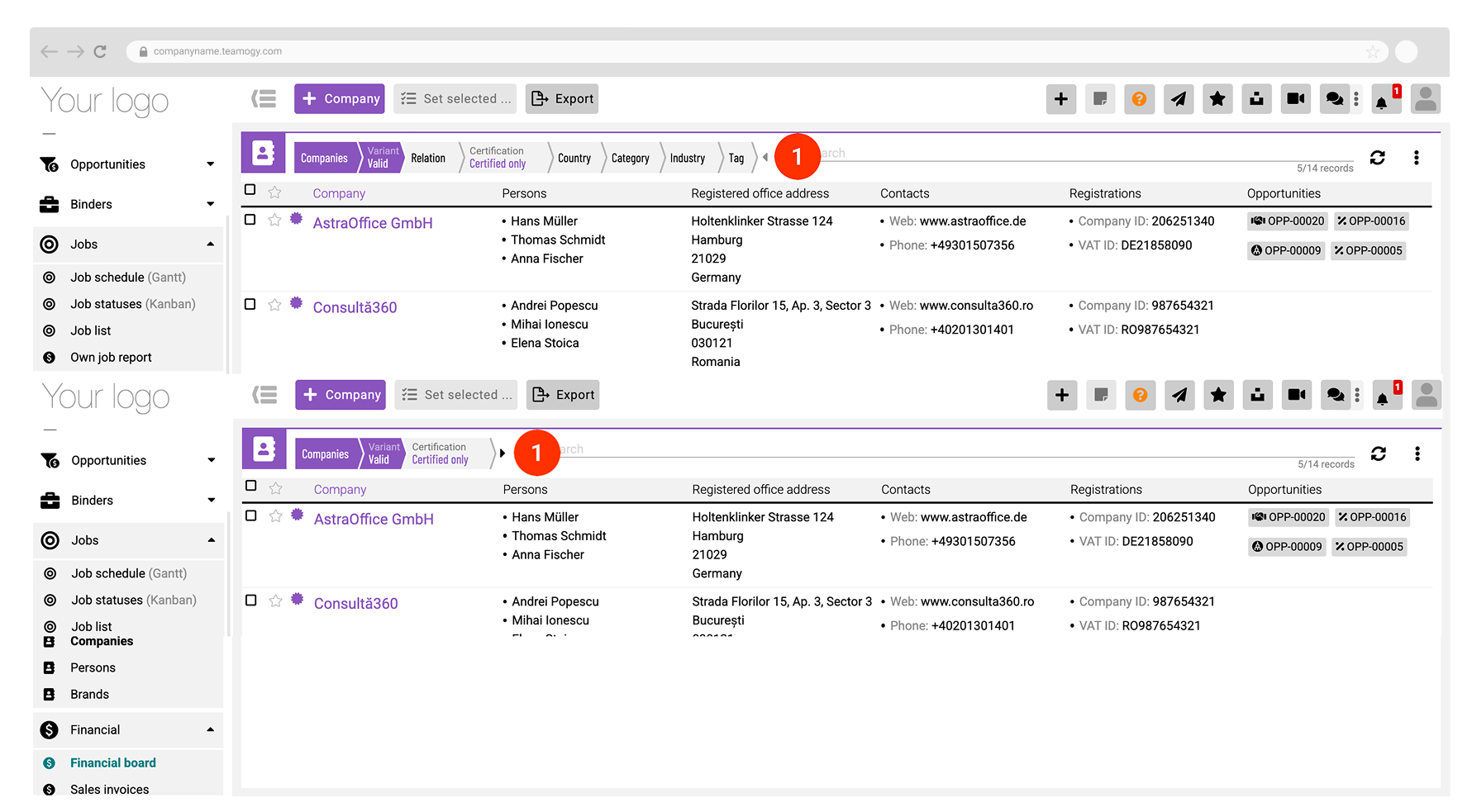
- Views – Redesigned breadcrumbs across all views.
- Epos Tasks – You can now set deadlines for epos tasks, improving planning and workflow continuity within projects.
- Absences – An option has been added to hide absences of inactive users.
- Payment Orders – A new option has been added to cancel a bulk payment order. You can also clear the queue by canceling individual orders.
Minor adjustments and improvements
- Gems – A new option for bulk changes has been added.
- Jobs and Tasks – A new option for bulk category changes has been added.
- Configuration / Emails – Default email rules have been created as part of the standard system setup.
- Overviews – Minor adjustments have been made to charts in jobs, tasks, and Kanban.
- Contacts – In the company view, new options have been added to hide columns and breadcrumbs.
- UI
- Preferred Value in Selections (e.g. home country at the top of the list)
- Search in dropdown selections within editable tables.
- Redesigned charts in jobs, tasks, and Kanban.
- System Stability – Minor bug fixes and technical improvements.
Key Features
Redesigned Items and Financial Documents Table
Thanks to the redesign of the finance table, working with jobs is now significantly more stable and clearer, even with large volumes of data. This change provides a solid foundation for further development of the financial section of jobs.
The new table is built on a more modern solution, making it ready for future feature expansion—such as cost rates for work, better item structuring, categorization, and customizable views based on user preferences.
QR Business Card and Easy Contact Sharing
Thanks to this feature, contacts can be shared quickly and easily—no need to retype information manually or use paper business cards. Contacts can be transferred within seconds using a QR code.
The new feature allows you to display a QR business card for a person in vCard format, which can be scanned with a mobile phone or directly downloaded to your contacts. Once saved, all available contact details are automatically filled in. So if you need to call a potential client, you simply download the business card—no need to manually enter any information into your phone.
The QR business card is available in the people overview, person detail, within company contacts, and in the user menu, where each user can access their own QR business card. For example, during a meeting, you can simply show your personal QR card to a partner and let them download it instantly.
Tasks – Description Preview Directly in the Overview
Thanks to this update, working with tasks is now clearer and faster, as there’s no need to constantly open the task detail just to check its description.
You can now display a task description preview directly in the task overviews. The preview column is hidden by default, and each user can enable it only when needed for their work.
This change makes it easier to navigate, especially when working with a large number of tasks or during quick reviews.
Enhancement details
Enhanced Invoice Duplication Check
The system now detects and references all duplicate invoices, not just the most recent ones.
Opportunities
We’ve added a “Statistical Category” filter to the opportunity list search, which allows you to search by reason for the Won/Lost status. This makes it easier to quickly find and evaluate opportunities and the reasons behind their success or loss.
Opportunities / Companies
In the Companies view, you can now immediately see whether there are any opportunities linked to a company, along with direct links to access them. This feature gives you a quick overview of which companies you’re already actively engaging with—and which ones might be worth reaching out to.
Time Reports
A new summary view has been added to time reports, providing better insight and analysis of logged hours. This update makes reviewing time reports faster and more intuitive—without needing to export data to external files. Users now have all key information available directly within the system.
The new summary view clearly shows which client, job, or budget each time entry is assigned to—including its number and name—at a glance. This significantly simplifies the verification of time reporting accuracy and improves overall data clarity.
You can switch between different view modes directly in the time reports overview, depending on whether you need a detailed review or a quick summary.
Companies
A change has been made to the company detail level. The original “Details” tab has been moved into the main section of the contact form.
Views
Redesigned breadcrumbs across all views.
Epos Tasks
You can now set deadlines for epos tasks, which improves planning and ensures better workflow continuity within projects.
Absences
An option has been added to hide absences of inactive users, making overviews cleaner and easier to navigate.
Payment Orders
A new option has been added to cancel a bulk payment order.
You can now clear the queue by canceling individual payment orders.
Previous version
Version 6.1
January 17, 2026
What’s New in Teamogy? Take a look at the latest release notes.
Version 5.2
3.9. 2025
Version 5.1
Jun 25, 2025
Version 5.0
26.12.2024