Toate datele esențiale ale companiei tale, într-un singur sistem
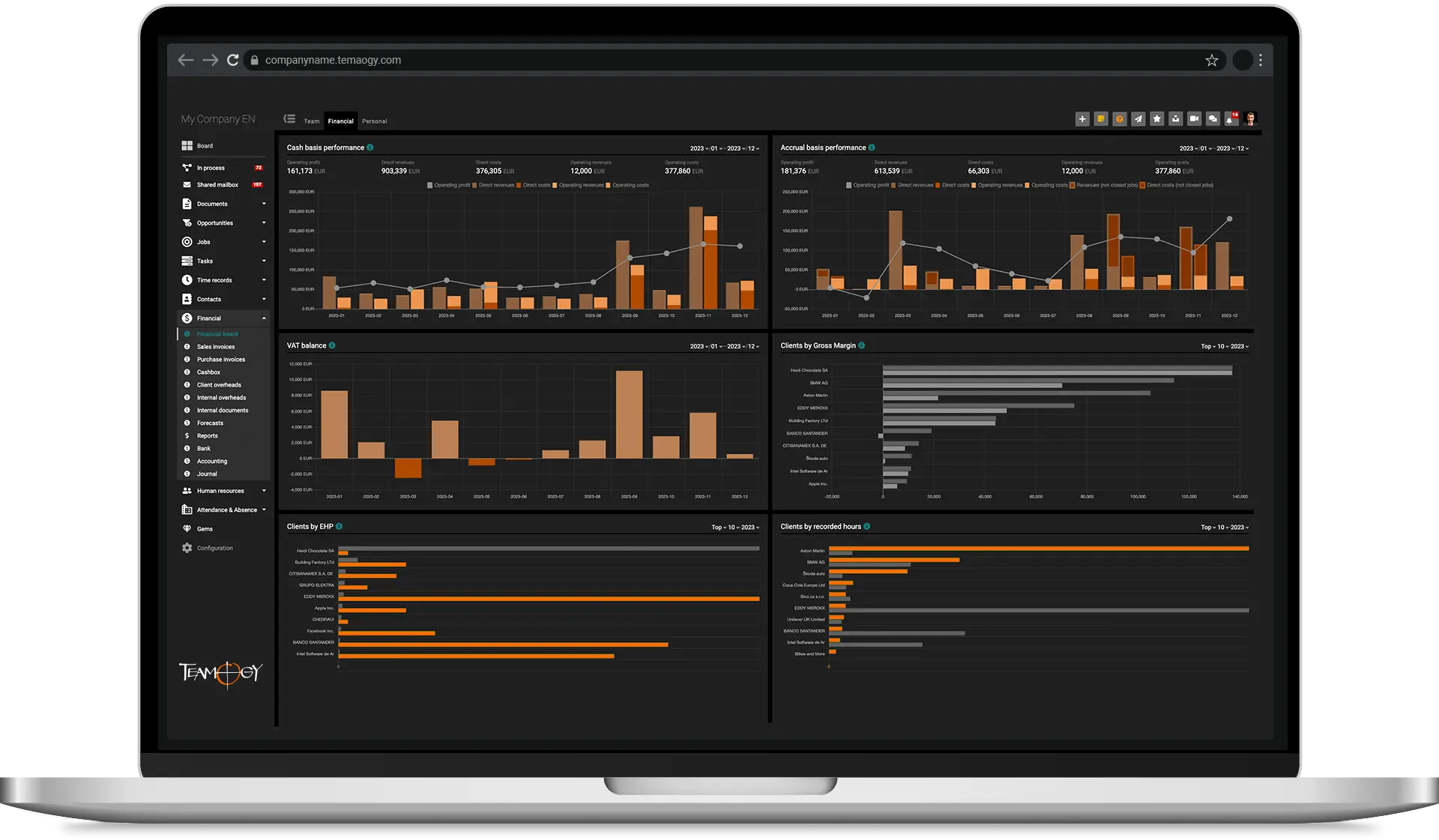
Un sistem modern bazat pe cloud pentru managementul afacerii, finanțe, managementul proiectelor, colaborarea echipei și comunicare.
Fă afaceri, nu haos
Concentrează-ți timpul și energia pe clienții tăi, echipa ta și misiunea pentru care a fost creată compania ta.
Personalizează Teamogy în funcție de nevoile tale unice și lasă-l să crească odată cu afacerea ta.
Păstrează datele conectate fără întreruperi și reduce la minimum sarcinile administrative inutile.
Obține instantaneu informații în timp real despre performanța întregii tale companii — oricând, fără să fie nevoie să întrebi.
În fiecare zi, mii de utilizatori din întreaga lume se bazează pe Teamogy.


















Construiește o companie de succes
Datele organizate ale companiei cresc valoarea afacerii tale. Procesele clare și structura bine definită creează un mediu în care profesioniștii adoră să lucreze.
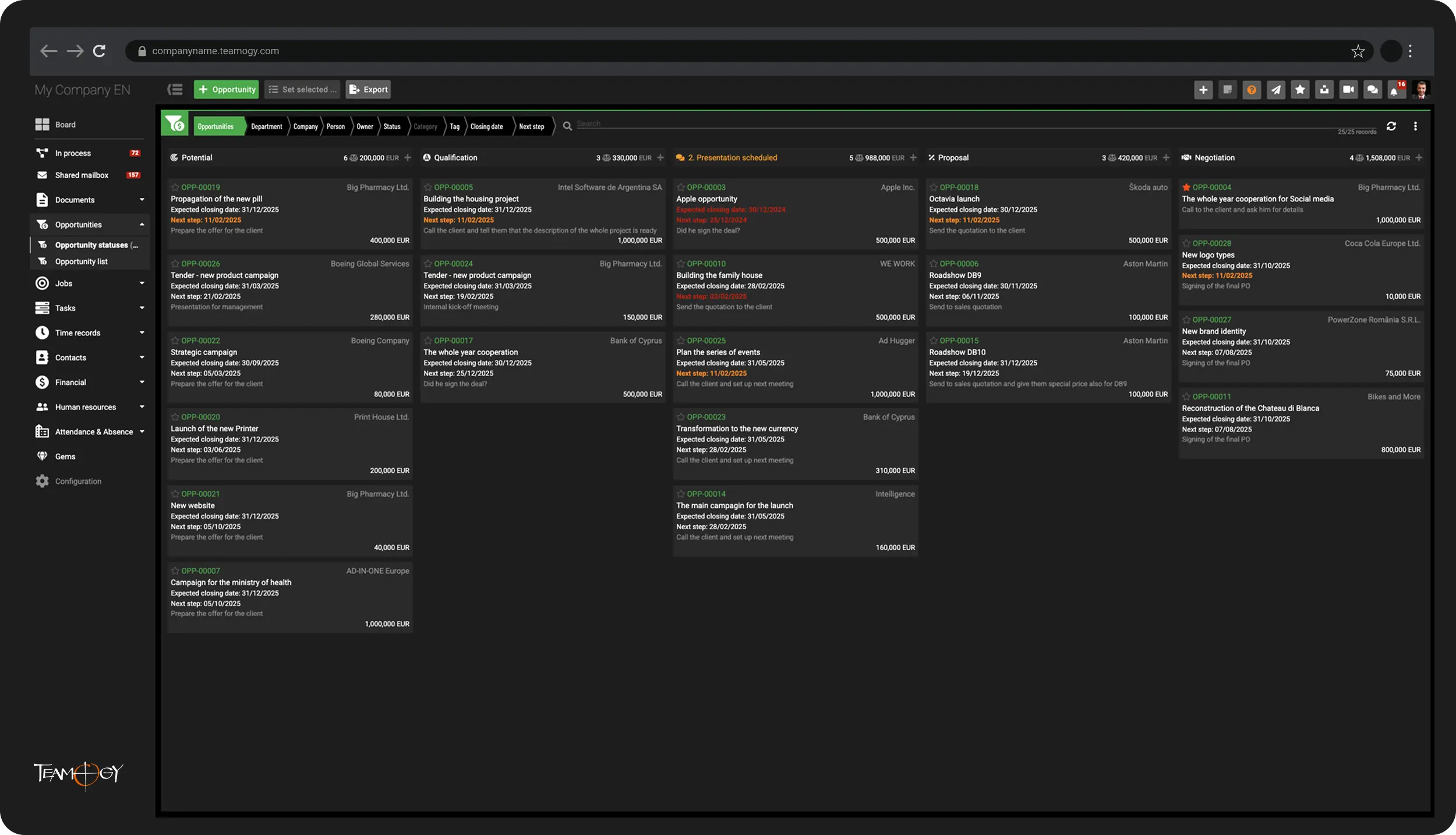
Afaceri noi / CRM
Maximizează fiecare oportunitate de vânzare
Câștigă afaceri noi și gestionează licitațiile cu claritate și încredere. Evaluează potențialul financiar al fiecărei oportunități și planifică eficient pașii următori. Păstrează toată comunicarea și detaliile relevante într-un singur loc.
Managementul proiectelor
Gestionează proiectele eficient — cu profitul potrivit
Preia controlul complet asupra proiectelor tale în timp real — de la ofertare și execuție până la facturare. Optimizează profitabilitatea proiectelor cu precizie și transparență.
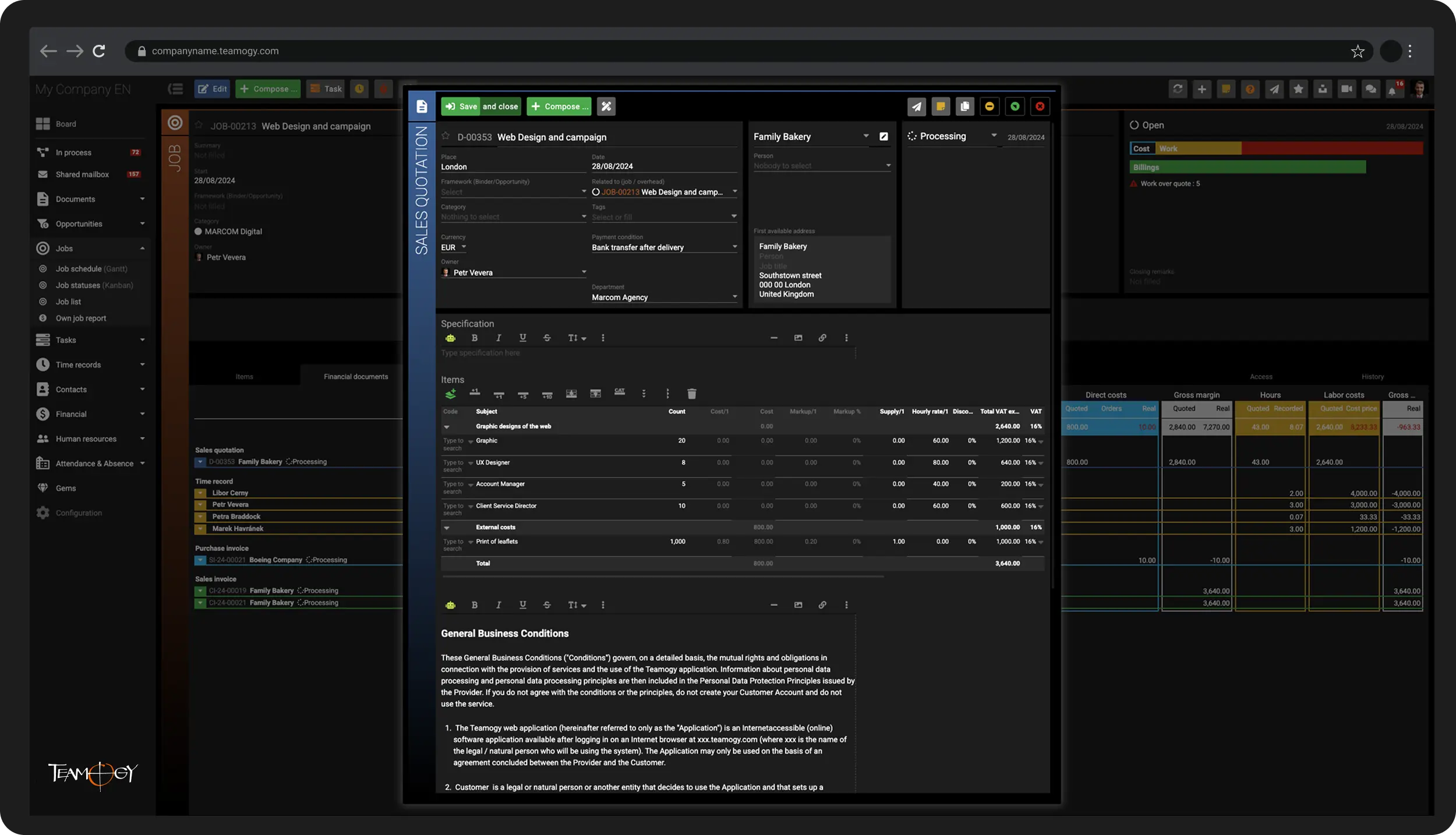
Managementul proiectelor
Gestionează proiectele eficient — cu profitul potrivit
Preia controlul complet asupra proiectelor tale în timp real — de la ofertare și execuție până la facturare. Optimizează profitabilitatea proiectelor cu precizie și transparență.
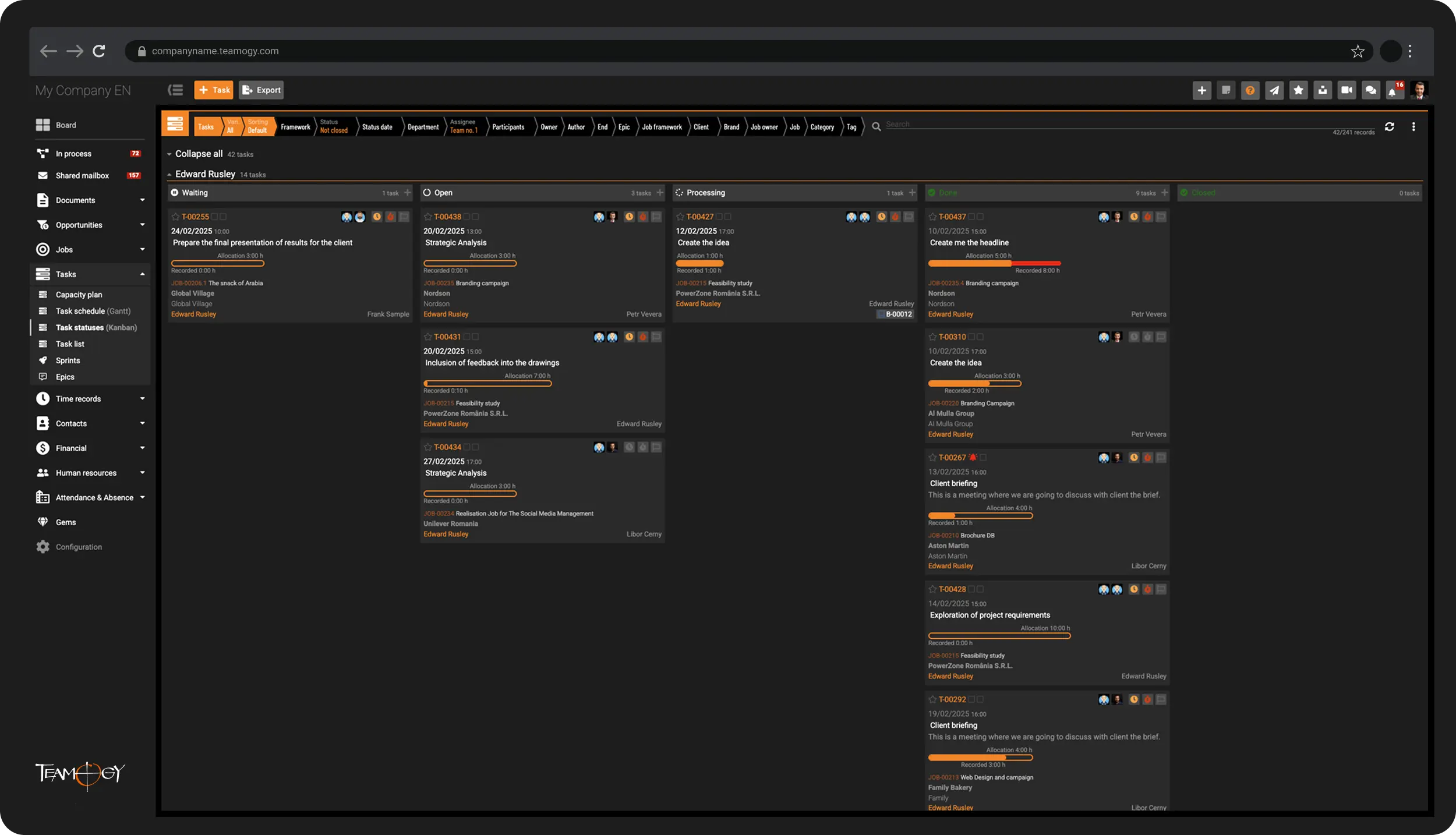
Colaborarea în echipă
Vizibilitate completă asupra a cine lucrează la ce — cu acces facil la informațiile despre sarcini
Menține controlul asupra încărcării de lucru a echipei și oferă tuturor acces rapid la informațiile de care au nevoie pentru a-și finaliza sarcinile eficient.
Comunicare
Unifică diferitele canale de comunicare într-o singură platformă inteligentă
Partajează și păstrează informațiile esențiale din diferite canale de comunicare — permanent și accesibil — pentru membrii potriviți ai echipei.
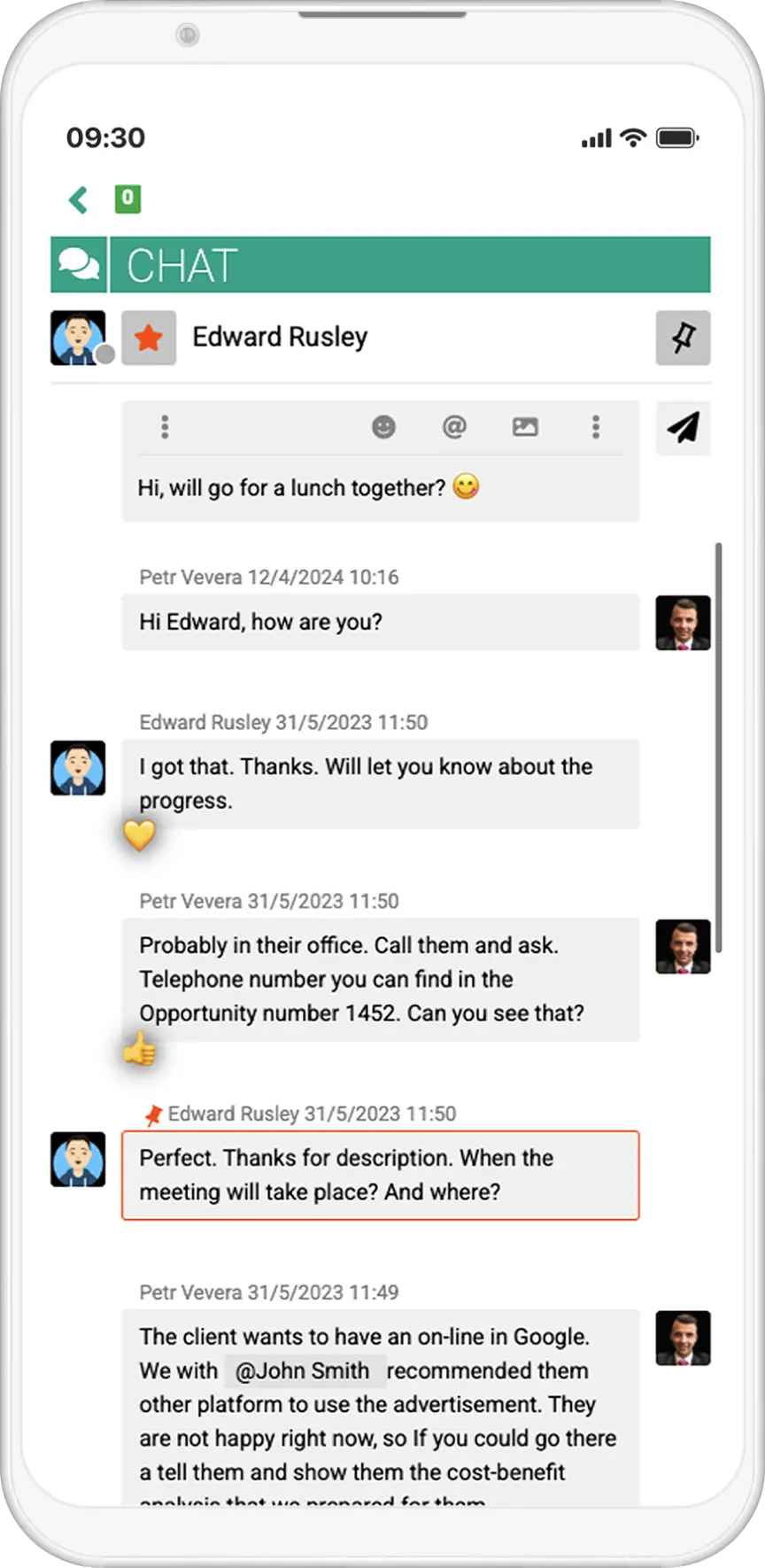
Comunicare
Unifică diferitele canale de comunicare într-o singură platformă inteligentă
Partajează și păstrează informațiile esențiale din diferite canale de comunicare — permanent și accesibil — pentru membrii potriviți ai echipei.
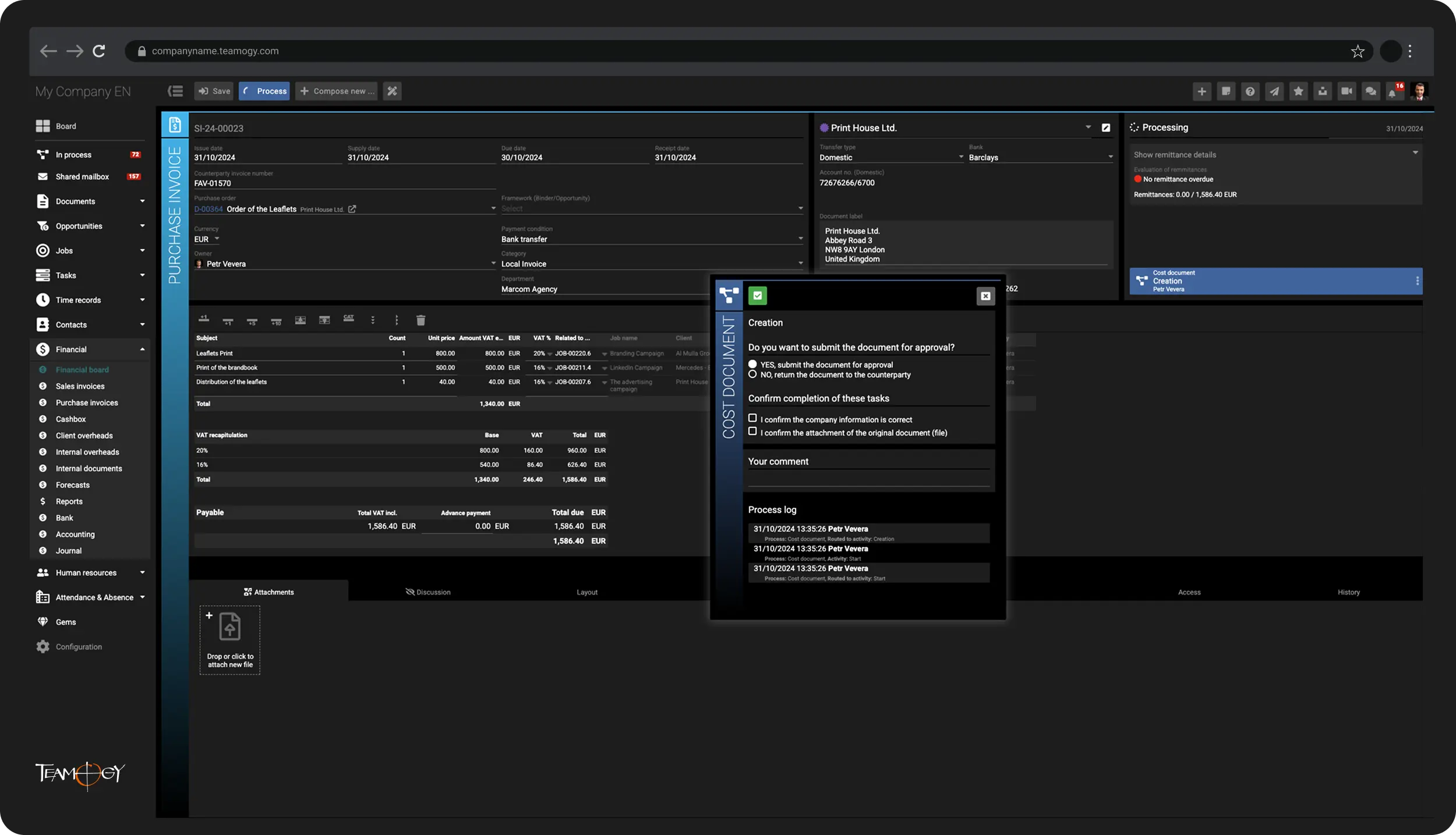
Finanțe
Oprește pierderile inutile de bani
Gestionează toate documentele financiare direct în Teamogy și preia controlul total asupra finanțelor companiei tale.
Raportare
Obține informații despre profitabilitatea proiectelor, costurile interne și P&L-ul companiei tale — oricând, oriunde
Obține atât o perspectivă de ansamblu, cât și detalii în profunzime într-un singur sistem — trebuie doar să alegi perspectiva de care ai nevoie în Teamogy.
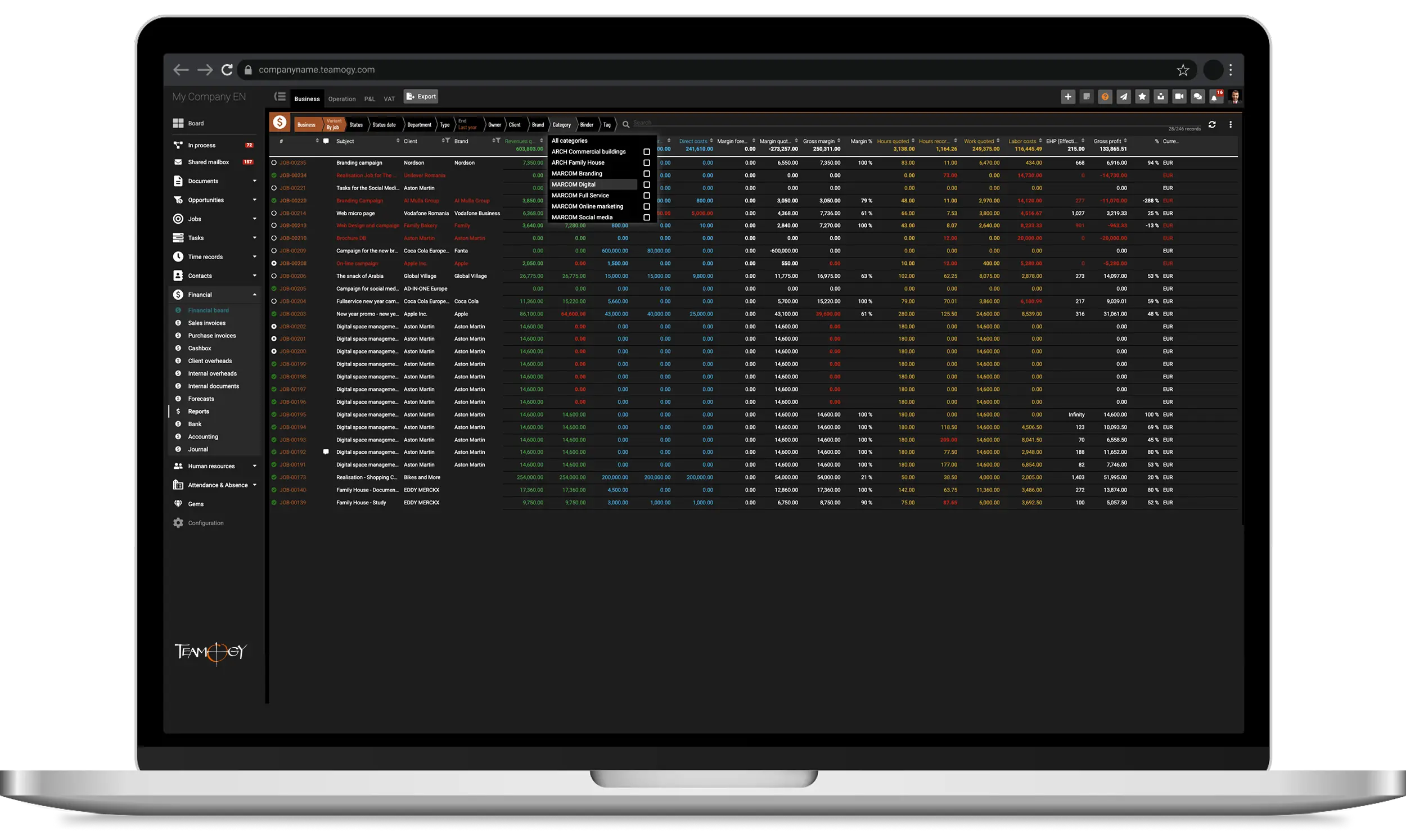
Raportare
Obține informații despre profitabilitatea proiectelor, costurile interne și P&L-ul companiei tale — oricând, oriunde
Obține atât o perspectivă de ansamblu, cât și detalii în profunzime într-un singur sistem — trebuie doar să alegi perspectiva de care ai nevoie în Teamogy.
Integrări
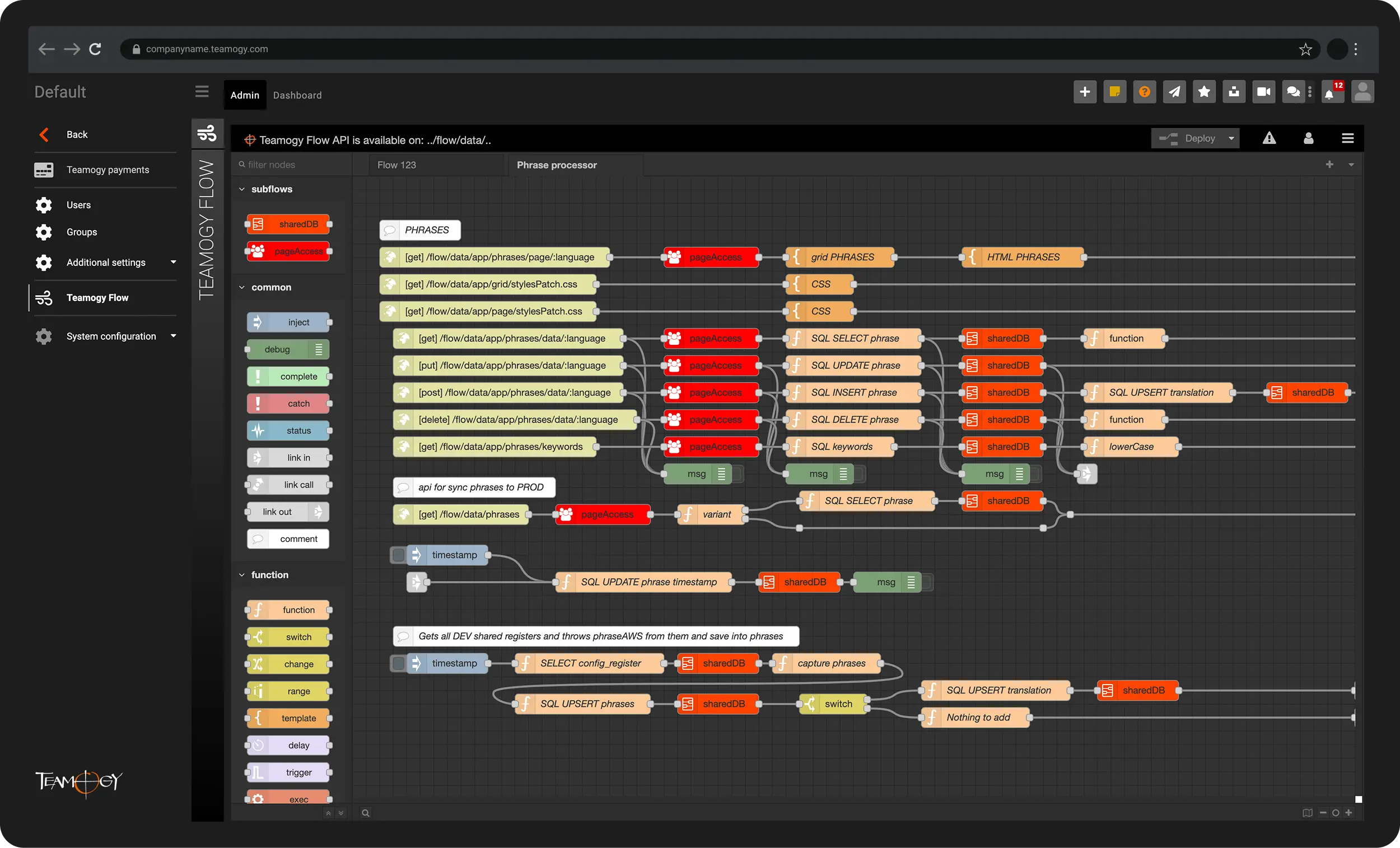
Integrările și automatizările Teamogy pentru eficiență maximă și economie de timp
Teamogy este un sistem deschis, cu propriul Public API, pregătit să se integreze cu o gamă largă de aplicații și servicii externe.






Soluție all-in-one pentru gestionarea întregii tale afaceri


Ce face Teamogy unic
Teamogy combină 7 calități excepționale care îl fac o soluție cu adevărat unică — extrem de adaptabilă la nevoile specifice ale companiei tale. Este puternic, flexibil și plăcut de utilizat.
Multilingv și localizat
Conceput pentru echipe multilingve și cerințe regionale.
Cotele TVA, monedele și șabloanele de documente predefinite îl fac gata de utilizare în peste 20 de țări, cu configurare rapidă pentru altele.
O singură unitate de afaceri sau mai multe
Gestionează mai multe companii sau sucursale într-un singur cont Teamogy.
Ideal pentru grupuri de companii și rețele — partajează contacte, resurse umane și rapoarte între entități pentru a economisi timp și a simplifica operațiunile.
Peste 50.000 de personalizări
Separare clară între logica de afaceri și stratul aplicației.
Teamogy poate fi personalizat în profunzime — fie la nivel global, fie pentru fiecare unitate de afaceri în parte.
100% Prietenos cu utilizatorul
Cuprinzător, dar intuitiv.
Teamogy combină funcționalități puternice cu o interfață ușor de utilizat — apreciată de utilizatori din toate rolurile companiei.
Excelență în onboarding în 4 pași
De la analiză la instruire și suport continuu.
Un proces dovedit: configurare personalizată, onboarding-ul echipei și suport de top pentru clienți, inclusiv chat live și consultații individuale.
∞ Integrări cu Teamogy Flow
Economisește timp prin automatizare fără întreruperi.
Integrează Teamogy cu instrumentele tale sau creează fluxuri de lucru personalizate folosind platforma vizuală Teamogy Flow.
Conceput pentru nevoile utilizatorilor
Se dezvoltă continuu cu fiecare versiune.
Teamogy este modelat de o viziune clară de produs și de feedback-ul din lumea reală — îmbunătățindu-se constant pe baza nevoilor în schimbare ale clienților.
Referințe principale


„Onboarding-ul cu Teamogy a fost foarte detaliat și ușor de urmărit, ceea ce a făcut ca începutul utilizării să fie o experiență lină. Sunt cu adevărat încântat să folosesc platforma — ne oferă vizibilitate clară asupra informațiilor financiare importante și asigură că persoanele potrivite au acces la ceea ce au nevoie. Acum putem analiza exact unde și cum este petrecut timpul nostru, obținând informații valoroase despre performanța noastră zilnică. În plus, Teamogy ne ajută să eficientizăm operațiunile prin înlocuirea mai multor alte platforme și reunirea tuturor într-un ecosistem coerent.”
71 de sucursale, peste 1.500 de experți în marketing la nivel mondial


„Stiu întotdeauna cum merge cu adevărat agentia. Excelent pentru luarea deciziilor corecte.”
Michal Richtr, CEO Dynamo Design
1–50 utilizatori Teamogy


„Trebuie să avem finanțele și proiectele în ordine. Și avem asta, mulțumită Teamogy.“
50 – 100 utilizatori Teamogy

„Teamogy ne permite să obținem o prezentare generală despre performanța companiei cu ușurință și rapiditate. Gestionăm joburile și documentele aferente, inclusiv Ofertele, comenzile și facturile furnizorului. Economisim timp și bani datorită Teamogy. Avem totul sub control.“
Daniel Matula, Founder, CAPEXUS
100 – 200 utilizatori Teamogy

„Acum estimăm munca noastră mult mai realist.“
Pavla Neradová, Co-Founder, Studio Apaté
1 – 50 utilizatori Teamogy


„Profitabilitatea activităților și proiectelor noastre individuale a crescut datorită Teamogy. Îmi place.”
Irinel Ionescu, Founder, AMPRO Branding agency
1 – 50 utilizatori Teamogy

„Îmi place eficiența și claritatea. Pentru mine, asta este Teamogy. Îmi place!”
50–100 utilizatori Teamogy
Programează o întâlnire online
"Avem nevoie ca finanțele și proiectele să fie în ordine. Și chiar sunt, datorită Teamogy."
Radek Maršík, CEO, FleishmanHillard Prague



Despre companie
Despre noi
Devino partener
Produse
Sistem
Integrations
Onboarding
Prețuri
Resurse
Centru de suport
Manuale
Note de lansare
Start usor
Blog
© AD-IN-ONE.com
Termeni și condiții
Protecția datelor personale
Prelucrarea datelor personale