What’s new in version 6.03
Release date: 8th August 2026
Main new features in the version
- Calendar – planning and viewing events, tasks, absences and ToDos.
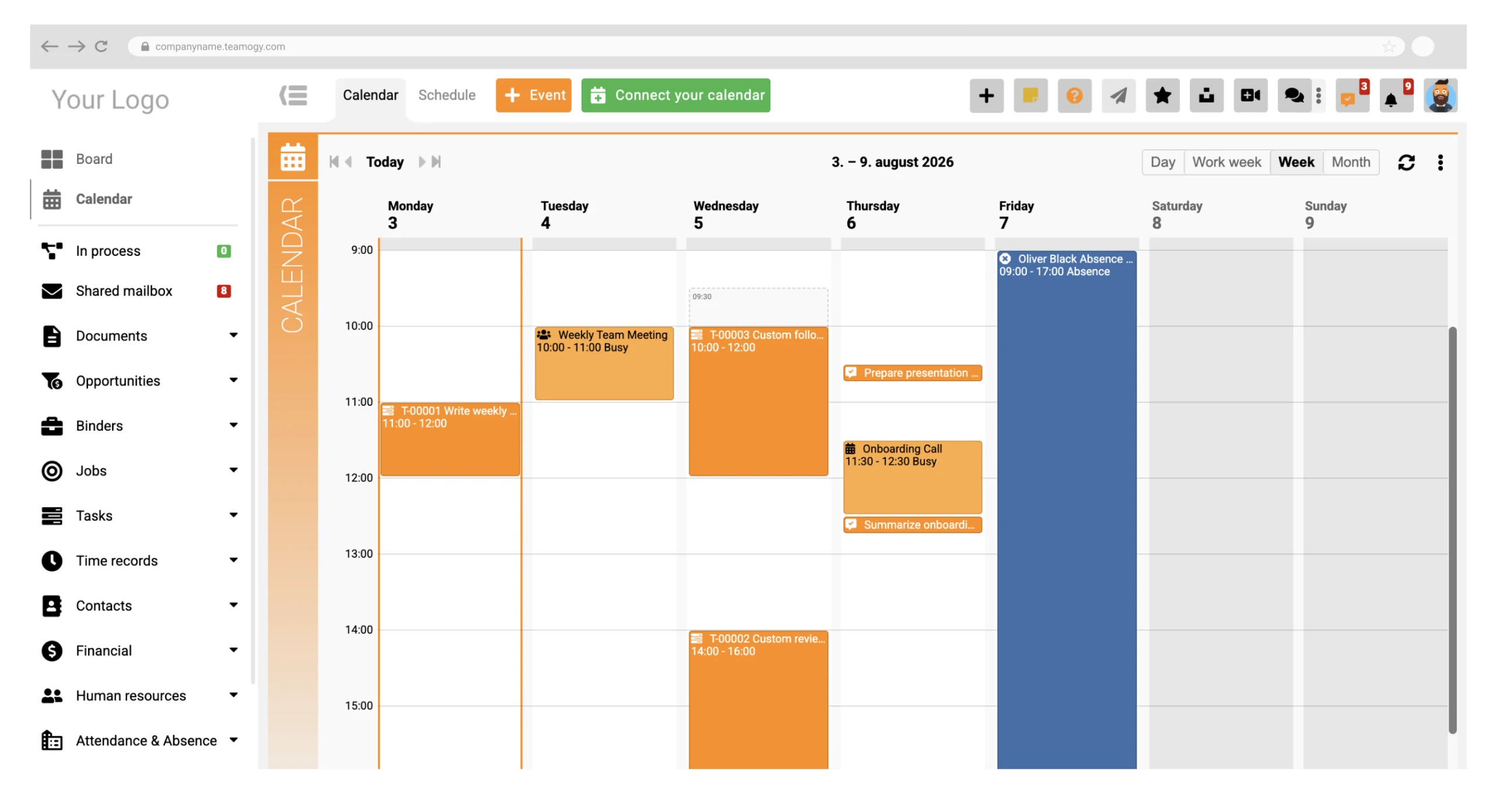
A new component has been added to Teamogy – a Calendar that lets you plan and display meetings, planned task work, approved absences and ToDos in one place. It offers monthly, weekly and daily views and supports synchronization with Microsoft 365 Calendar. - Leads (BETA) – tracking leads before an Opportunity is created.
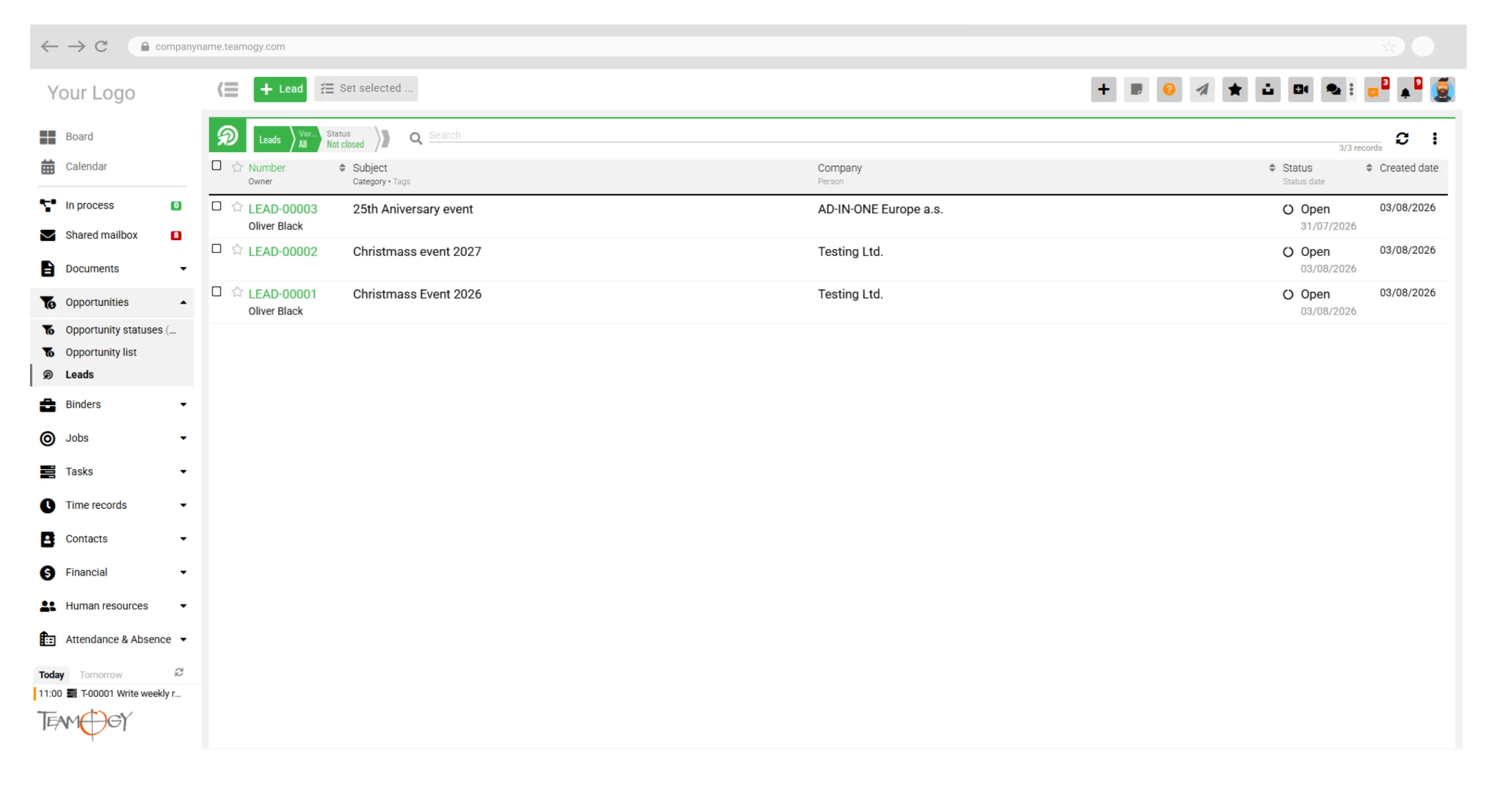
New functionality for recording leads as a stage before Opportunities. A lead can – but does not have to – be linked to a Company record. - Smart Links – the current status of an entity right in the link.
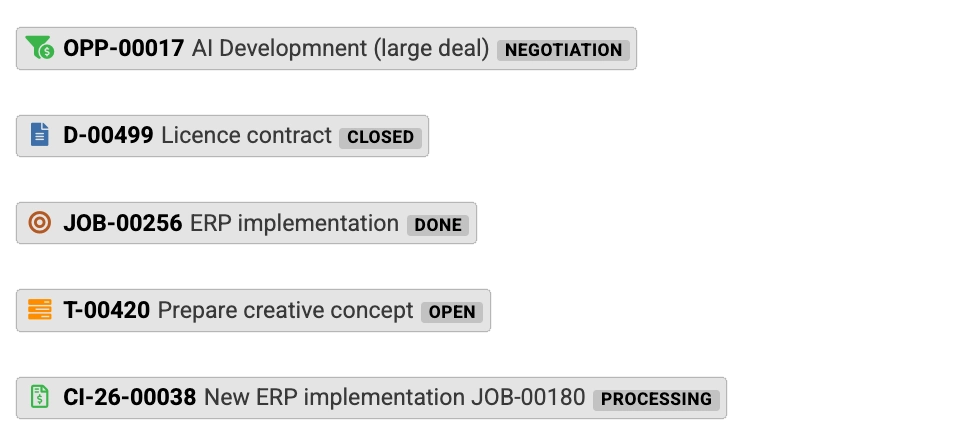
Links to Teamogy entities now also display the current status and other important information about the referenced record. - Audit – overview of user membership in groups.
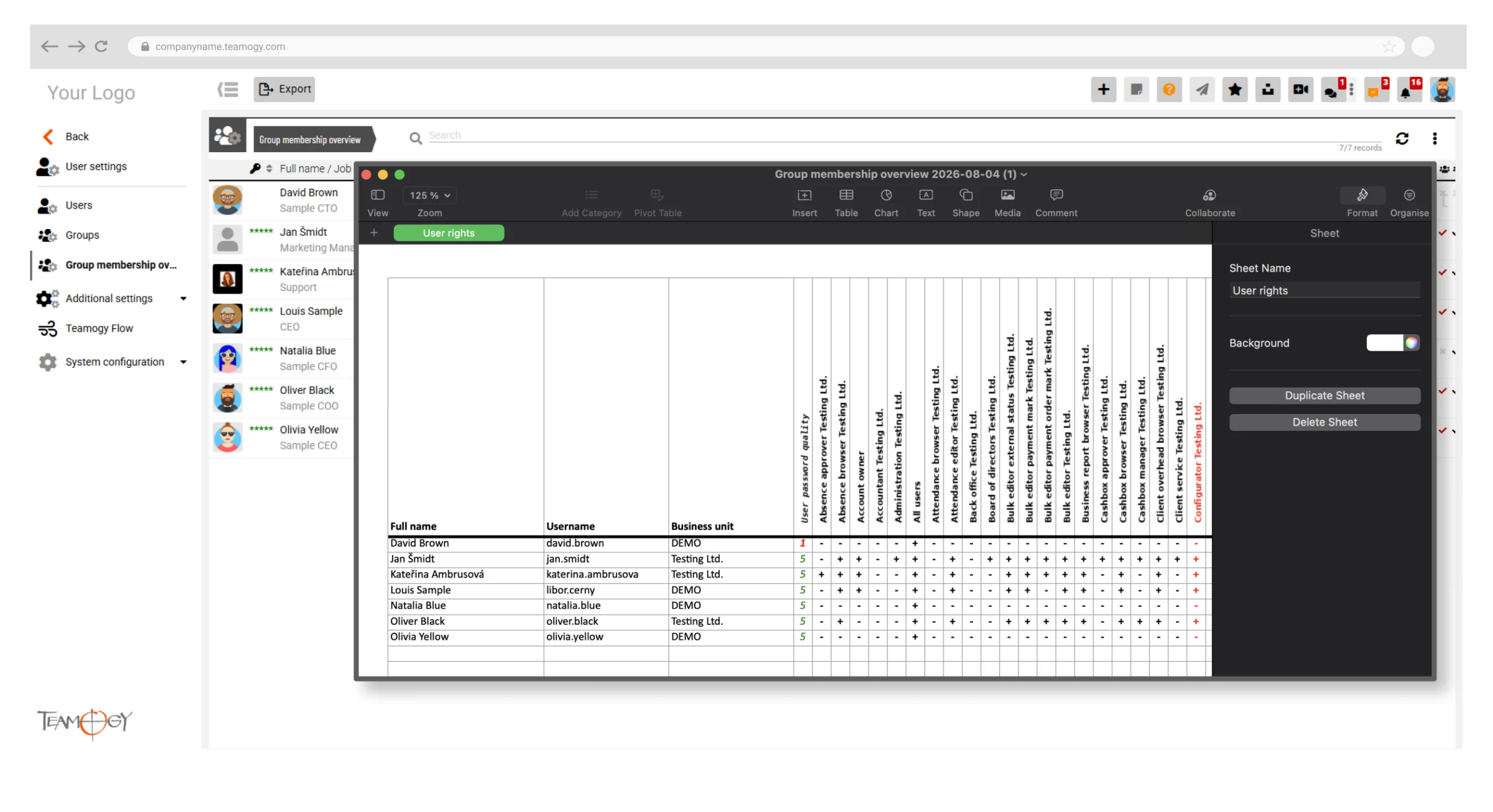
A new matrix view shows each user’s membership in groups. The data can be exported to XLS, for example for permission audit purposes.
Improvements
- Documents and Jobs – option to bulk-change the company on multiple selected documents or Jobs.
- Opportunities – new view «All that concern me».
- Search – you can now use the logical operators AND and OR in searches.
- Saving records – the keyboard shortcut CTRL/CMD + ENTER now saves and closes the edited record.
- User suggestions – improved sorting and prioritization of names in results.
- Stickers – you can now search within the user list on a sticker.
- Public API – added support for bulk POST and PATCH requests.
- CZ and SK – extended bulk payment orders. We added specific and constant symbols. The corresponding fields are now also available on internal documents.
- PL – extended support for e-invoicing (KSeF). In invoice views and in the Accounting view we now show the e-invoice ID including search and XLS export. Sales Invoice printing to PDF now includes the QR code and the e-invoice ID. Support for entering a 3rd company on Sales Invoices and subsequent export to KSeF.
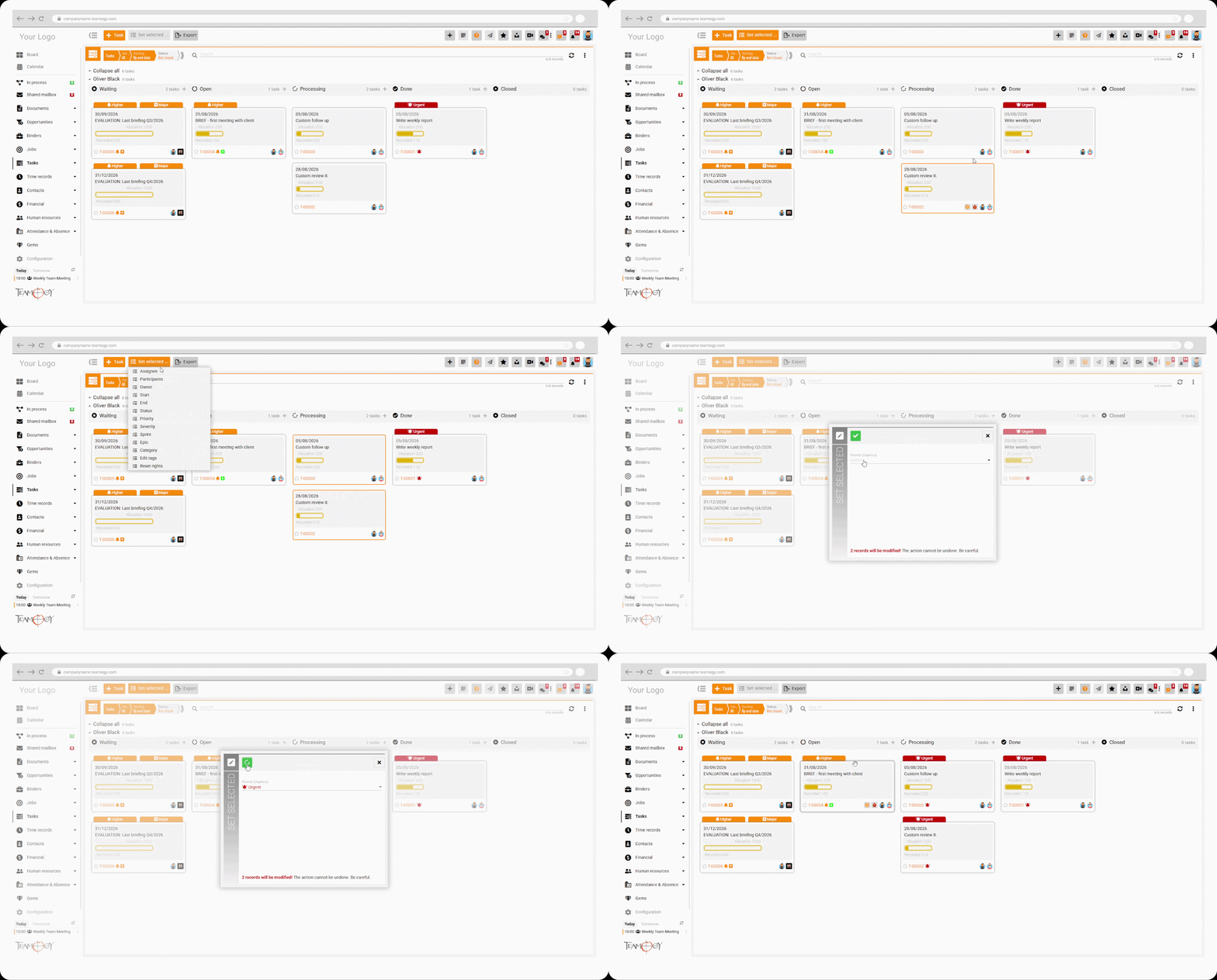
- Bulk changes in Kanban views – using SHIFT + click you can select multiple cards and then move them together or bulk-edit them.
Minor adjustments and improvements
- Other minor UI adjustments across the system.
- Bug fixes and improvements to stability and performance.
Key Features
Calendar – all important dates in one place
The new Calendar in Teamogy makes it possible to create and display events, planned work, absences and ToDos in one place. Each user can choose which record types they want to see in the Calendar.
The Calendar supports the following record types:
- events created directly in the Teamogy Calendar,
- events synchronized from an external e-mail calendar,
- task work planned via the Capacity Plan,
- the user’s approved absences,
- ToDos with an assigned date, optionally also a specific time.
Monthly, weekly and daily views are available. Colleagues can be added to the daily view to see their events. This makes it easier to plan joint meetings and coordinate team work.
The Calendar respects the privacy settings of individual records. If an event is marked as «Private», its details are shown only to the owner of the record.
Participants can be invited to events, and events can be set to recur.
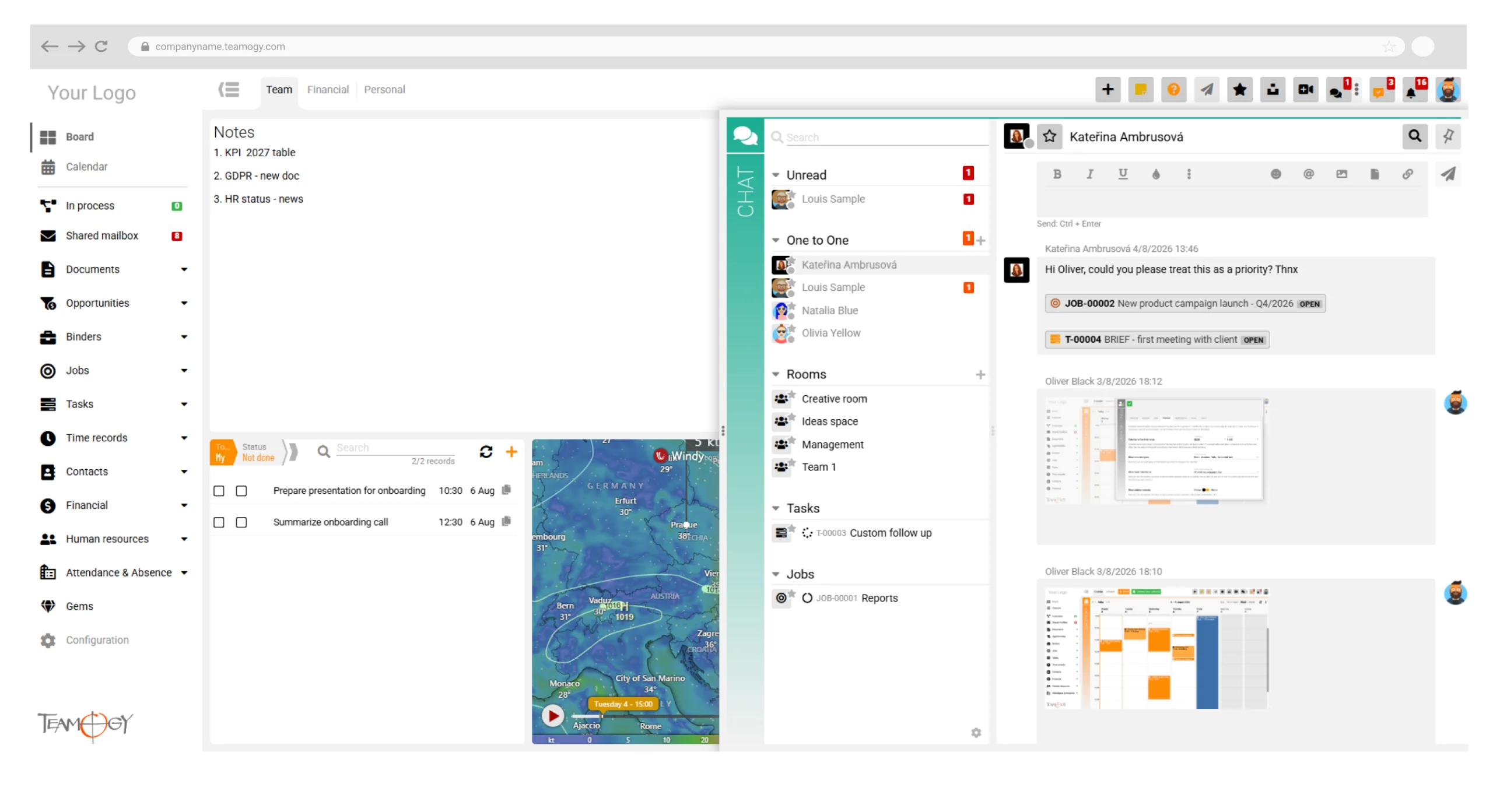
The daily Calendar view can optionally also be displayed in the Teamogy side panel. This gives the user a quick overview of the current day without having to open the full Calendar.
Synchronization with Microsoft 365 Calendar
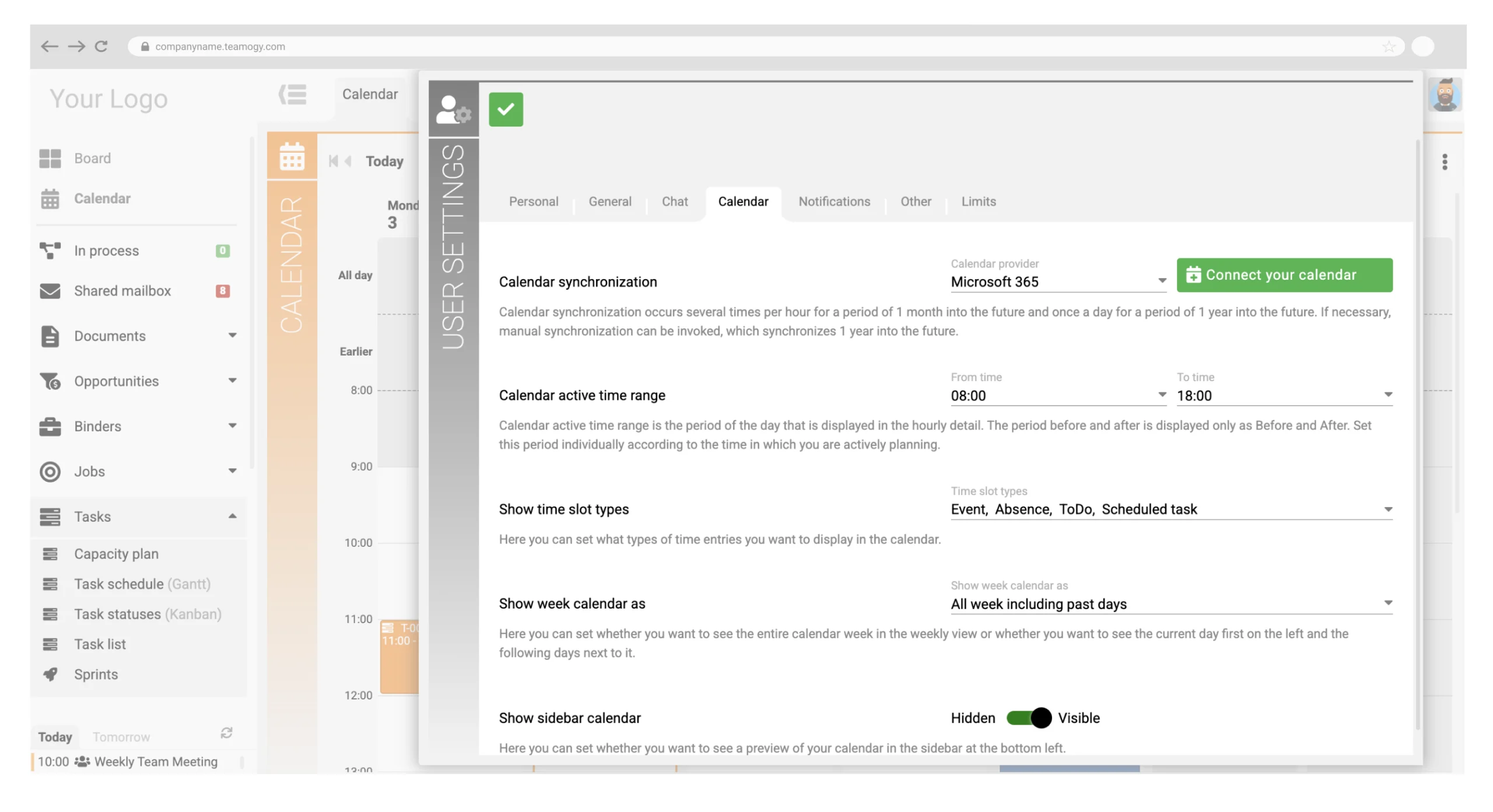
The Teamogy Calendar can be synchronized with the Microsoft 365 Calendar. Events from both environments can thus be available in one place.
The Calendar can also be used fully without a connection to an external calendar. In the following versions we plan to add synchronization with Google Calendar and with generic calendars using the CalDAV standard.
Leads (BETA)
The sales part of Teamogy now includes Lead tracking. A Lead represents an initial contact or a potential business case before an Opportunity is created.
A Lead can be linked to a Company, but it can also exist independently. This makes it possible to capture a new business contact even when not all the information needed to create a complete Company record or an Opportunity is available yet.
The functionality is now available in a BETA version. We will be happy for your feedback and suggestions for further improvements.
Bulk changes in Kanban views
Selected cards can then be:
- moved together to another column,
- bulk-edited via the «Set selected» button.
The new option significantly speeds up editing a larger number of records and makes it easier to reorganize data in Kanban views.
Smart Links
Links to entities in Teamogy are now displayed as Smart Links. In addition to the name of the referenced record, they can also contain its current status and other important information.
The user thus gets a basic overview of the referenced record without having to open it first. The displayed information updates continuously according to the current state of the entity.
Overview of user membership in groups
The new overview shows individual users and their group memberships in a matrix form. An administrator can thus easily check which groups a specific user belongs to and how groups are used across the organization.
The overview can be exported to XLS. The export can be used, for example, as a basis for a regular audit of user permissions.



Previous version
Version 6.1
January 17, 2026
What’s New in Teamogy? Take a look at the latest release notes.
Version 5.2
3.9. 2025
Version 5.1
Jun 25, 2025
Version 5.0
26.12.2024