
Many of us often wonder how clean it really is back in the kitchen as we sit and eat a meal at a restaurant. Some clients may be wondering how it works inside their supplier‘s company.
The final outputs of a company are visible, whether it is an architectural solution, advertising, or PR.
Was it a painful process that was full of misunderstandings and adjusted budgets and deadlines, or was the cooperation enjoyable, accurate, and clear? All of these aspects are important for successful cooperation and selection of the right supplier, especially when it comes to longer-term cooperation.
Companies that are using Teamogy have full control over their daily work. The work of individual employees is meaningfully planned – it is clear who is working, what the person is working on, how long the task takes, and how much it costs. Communication regarding individual projects can take place directly in the specific Job within the system or with the built-in chat option. Using Teamogy brings “profit” not only to users but also to their clients.
These are the main advantages of Teamogy:
Accurately estimate time demands for projects
and thus a price budget with minimal deviations during implementation.

Fully control the entire process of each implemented project at any time and from anywhere.

Correctly estimate a possible completion date
and assist in meeting promised deadlines.

Effectively and easily communicate not only with the client and the supplier but also within the internal team during the entire project implementation.
Place purchase orders in mutually accessible documents and agreements,
including monitoring the dates of their fulfillment.
This is why we have decided to give all our clients who are currently making full use of the Teamogy system…the QUALITY FOCUSED brand.
They will be able to clearly determine the quality of the company’s internal operations, providing solid, accurate information to aid in making sound business decisions.
At the Digiexpo in January 2020 that was organized by Médiář, we introduced the QUALITY FOCUSED brand.
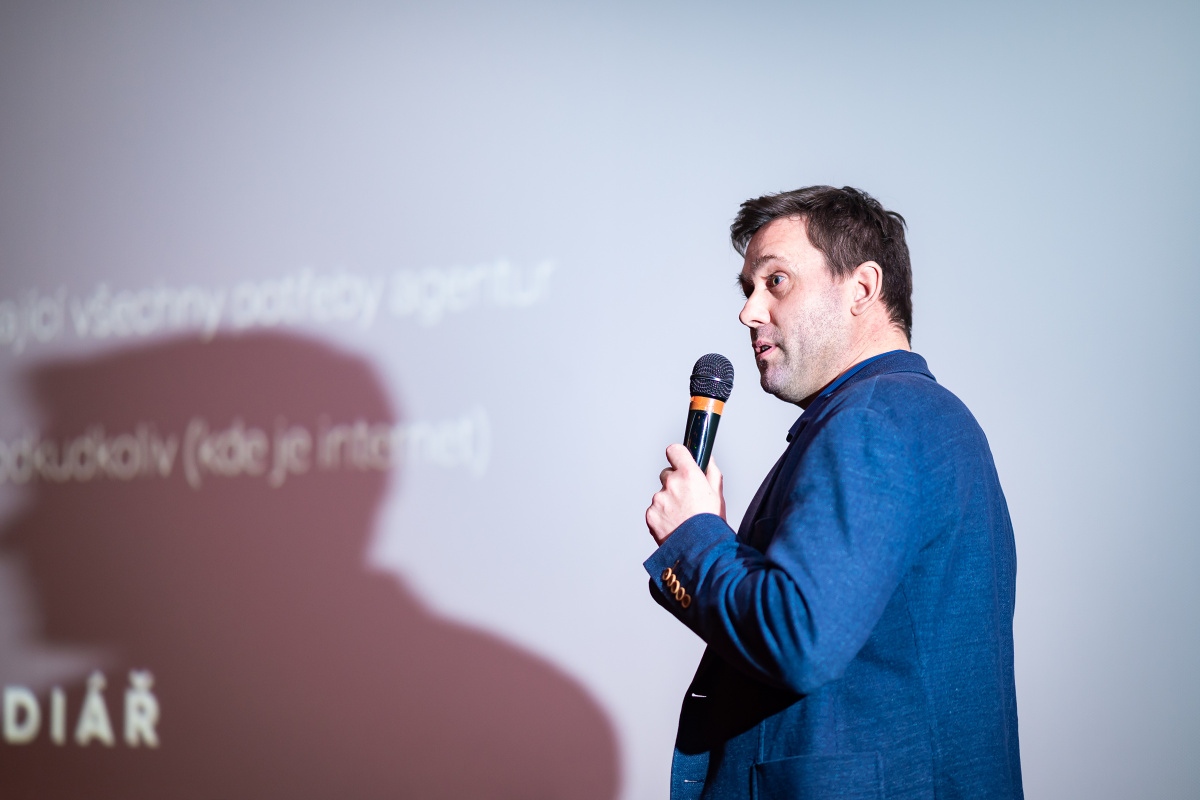
Libor Černý (Managing Director of AD-IN-ONE Europe) presented the QUALITY FOCUSED brand at Digiexpo 2020
QUALITY FOCUSED brand
is used by companies working professionally with the Teamogy system. These companies professionally manage their daily work and thus increase the quality of their services for their clients.

NAĎA ŠOLCOVÁ
Naďa is a member of the management team for AD-IN-ONE Europe. She specializes in coaching and marketing communication. She is a certified coach of ICF and ČAKO and the holder of the Direct Marketer of the Year award bestowed by the ADMEZ Association. She has been involved in marketing for over twenty-five years and coaching for the last seven years. In her free time, she enjoys sailing and is an active fan of modern gymnastics, which she participated in during her youth.
You might be interested in
About Time Recorder
About Time RecorderThe Time Recorder is a visual tool for simple time recording and an overview of all recorded hours in daily, weekly, or monthly mode. It displays all recorded hours of the selected user in a selected time period. Empty columns with a yellow border...
How To Allocate Money
How To Allocate Money 1. Create Document (Sales Quotation, Purchase Order, Purchase Invoice, Timesheet, Bill Reimbursement) or Find it. 2. Complete all details. Mandatory fields are red underlined (can be different by company’s settings). 3. Pair element to a Job/...
About Jobs
About JobsThe Job is the central point of the entire system. The Quotation for the client is projected into the Job, Supplier costs are allocated, Client invoices are issued, tasks are assigned, and tracked time are all allocated for the Job. As a result, you have a...
Create A Job
Create A Job1. In the left navigation menu, unroll Jobs section. 2. Click on the Job schedule (Gantt), Job statuses (Kanban) view or Job list view. 3. Click on the New Job button.4. Complete all of the details. Mandatory fields are red underlined (can be different...
PrintEvery element of Teamogy you could Print out. This manual will show how to Print a Document. But you could apply this manual to all elements of Teamogy, which are printable. 1. Find the Document which you would like to Print out. 2. Click on the icon of the...
Add Attachments
Add AttachmentsIn every element of Teamogy you could Add Attachments. This manual will show how to Add Attachment to a Document. But you could apply this manual to all elements of Teamogy. 1. Create Basic Document, Sales Quotation , Purchase Order, Contract, Meeting...
Search Records and Documents
Search Records and DocumentsThe aim of Teamogy is to be user-friendly and effective software. Search Records and Documents is very simple. You can use a search engine or breadcrumbs. Breadcrumbs Use filters to work more efficient with your Documents. Just go to the...
Views And Breadcrumbs
Views And BreadcrumbsViews In Teamogy we have many Views. Simply, it is a page, where you are actually working. It is a very helpful tool in communication with your intern Teamogy admin or professional support team. You could easily describe, where is the problem that...
Version 1.11
What's new in Teamogy 1.11 Release date: 2019-03-15 Improvements Online chat has been moved to orange icon in top right screen corner Warning when leaving unsaved page (possible to enable/disable this warning in personal preferences) Easy time report from the...
Don’t miss interesting articles and tips
If you want to be among the first, please enter your e-mail. We will always try to send quality and interesting content for you.