
Leads
Leads In this short manual, we will introduce Leads in Teamogy and explain how they can be used to record and manage potential business contacts before an Opportunity is created. A Lead represents an initial contact or a potential business case that is still at an...Calendar
Calendar In this short manual, we will introduce the Calendar in Teamogy and explain what information it can display and how you can use it. The Teamogy Calendar brings together events, planned work, absences and ToDos in one place. Each user can choose which types of...Versión 6.3
¿Qué hay de nuevo en Teamogy? Echa un vistazo a las últimas notas de la versión.
Versión 6.2
¿Qué hay de nuevo en Teamogy? Echa un vistazo a las últimas notas de la versión.
ToDo – Small and Quick Tasks
ToDo – Small and Quick Tasks The ToDo feature introduces a new universal tool for assigning small operational tasks across the entire Teamogy system. ToDo items are designed as small and quick tasks that can be: created on any entity in the system, created...
KSeF 2026: what companies must change in invoicing
KSeF 2026 will reshape invoicing. Integration alone is not enough — companies must clean up data, set roles, and avoid cash-flow risks.

Microsoft Teams vs Teamogy
Microsoft Teams is great for chat. But for companies working on client projects, traceability and connection to projects, tasks, and documents are crucial. Teamogy solves that.
Receiving Invoices from KSeF into Teamogy
Receiving Invoices from KSeF into Teamogy Under the mandatory KSeF regime, supplier invoices are delivered and recorded through the government system in a structured format. Invoices are therefore no longer created as email PDF attachments but as standardized data...Teamogy & KSeF Setup
Setting Up Communication Between Teamogy and KSeF Certificate Preparation and Required Credentials – KSeF To configure communication between Teamogy and KSeF, the client must have the following access credentials and certificates prepared in advance: – Private...Programmatic User – Secure API Access in Teamogy
Programmatic User – a Secure way to Work with the API Programmatic User and API Access External system integrations with Teamogy are implemented using the Teamogy API.Access to the API is secured via an API token (API key). Each API token is always associated with a...Instructions For API Key Generation
Instructions For API Key Generation What this can be useful for? An API key enables secure communication between Teamogy and external systems or integrations. How to Generate an API Key in Teamogy Log in using the user account under which the API key will be...Programmatic User – Setup and Configuration
Programmatic User – Setup and Configuration What this can be useful for? A programmatic user is primarily used in integration projects and represents a professional approach to creating an API key. Creating a programmatic user A programmatic user can be created by a...Versión 6.1
¿Qué hay de nuevo en Teamogy? Echa un vistazo a las últimas notas de la versión.
Versión 5.3
¿Qué novedades hay en Teamogy? Echa un vistazo a las últimas notas de la versión.
Versión 5.2
¿Qué novedades hay en Teamogy? Echa un vistazo a las últimas notas de la versión.
Versión 5.1
¿Qué novedades hay en Teamogy? Echa un vistazo a las últimas notas de la versión.

How to Create a Truly Secure Password
Let’s take a closer look at how to ensure your data remains properly password-protected and cannot be misused to harm your organization.
Margin Forecast
Margin Forecast You can easily prepare margin forecasts for individual clients in bulk. These forecasts are automatically reflected in reports where you can compare them with real results. For example, you can easily compare a specific client’s annual margin...Password Strenght Check
Password Strength Check When logging in, a password strength/quality indicator (1) will be displayed after you enter your password. The user’s password is not sent anywhere, but is checked directly on the page. The quality/security of each user’s password is then...Versión 5.0
¿Qué hay de nuevo en Teamogy? Echa un vistazo a las últimas notas de la versión.
Task Templates Creation – Configuration Mode
Task Templates Creation – Configuration Mode What this can be useful for? You can create task templates and use these templates for job / task implementation. Learn more about how to Create tasks from predefined template feature. Here you will now learn how to...Data Box
Data Box Integration (Beta) What this can be useful for? Teamogy can be integrated with your company’s Data box, allowing you to download incoming and outgoing data messages directly into Teamogy according to the set rules. Downloaded data messages are stored...Teamogy Application available on the App Store or Google Play
Teamogy Mobile Application With the Teamogy app, you stay connected and in the loop, no matter where you are. Teamogy app together with the significant improvements to chat and notifications, is the perfect tool for seamless sharing and communication from wherever you...Tasks From Predefined Templates
Tasks From Predefined Templates What can this be useful for? You can quickly create groups of predefined tasks for projects directly from a template. With just one click, you can generate multiple tasks, complete them with descriptions, assign with persons, and more....Notifications
Notifications In Teamogy Stay on track with Teamogy notifications. – easy central setting of default notification behaviour- simply customizable what and where to notify- support for native notifications in MacOS and Windows (for browser, even when browser is...Recurring Tasks
Recurring Tasks What can this be useful for? You can easily create recurring tasks (subtasks) from a single job (job or task) within a given time frame. This method is suitable for activities where the task is to be repeated periodically (e.g. social media management...Extra Holiday Entitlements
Extra Holiday Entitlements This feature allows you to set and manage extra free hours for your team members. Where and How to set it up? In the Configuration section (1) or HR section (1) / Additional settings (2) – Extra holiday entitlements (3). Press...Version 4.2
What is new in Teamogy? Check the newest Release notes.

Marco BBN uses Teamogy daily for a real-time overview of the agency.
This year marks 30 years since the brothers Pavel and Petr Marek founded the Marco BBN agency, a relatively unique agency on the Czech market, as its specializations include, among other things, B2B marketing, which has many specifics.
We talked to one of the agency’s founders and its Managing Director Pavel Marek about marketing know-how for B2B clients, interesting case studies, and how membership in the BBN network or the daily use of the Teamogy system helps the agency. And we looked a bit into the near future.
Overview of Electronic Approval Processes
Overview Of Electronic Approval Processes In Teamogy, each type of document or entity can be managed through an approval process. Approval processes are created using a visual tool and incorporate references to approval roles, hierarchies, and other settings, which...About Electronic Approval Processes
About Electronic Approval Processes In Teamogy, electronic approval processes can be utilized. Electronic approval processes are most commonly used for financial documents such as Sales Quotation, Purchase Orders, Sales Invoices, or Purchase Invoices. The approval...Teamogy Billing Process
Teamogy Billing Process The billing process for the use of Teamogy and related services is fully automated. And it works as follows. Proforma invoice On the 7th day of each month, a proforma invoice is automatically generated and sent to the client. This proforma...Management of Billing Addresses
Management Of Billing Addresses You can choose the addresses to which important e-mail communications and financial documents for using Teamogy will be sent. This can be set easily in Teamogy payments section. (Only account owner is allowed to access this page.) The...Teamogy Flow
Teamogy Flow New Teamogy Flow product is a tool for easy creation of complex integrations (IaaS – Integration as a Service). The Teamogy Flow product, utilizing the visual programming tool Node-RED®, enables the creation of various connections between APIs,...E-mails in Teamogy
E-mails In Teamogy We bring you the possibility to record e-mail communications directly in Teamogy. You can have your e-mails connected directly to tasks, documents, invoices, etc… You can also set your own rules to proceed them. 1. Receiving e-mails and...Version 4.1
What is new in Teamogy? Check the newest Release notes.
Entering The Credit Card
Entering The Credit Card to Teamogy Teamogy payments can be found in your Teamogy environment under the question mark icon (1), Teamogy payments (2). This view is available only for authorized users – Teamogy Account Owner / Clan Owner role. To add your credit...Using AI Assistant in Teamogy
AI Assistant We have newly integrated an AI assistant (ChatGPT-4 Turbo) into Teamogy. Every Teamogy user can now use it to make working with documents more comfortable and efficient. Implementig the new ChatGPT 4.0 Turbo version brings better experience to Teamogy...Keyboard Shortcuts
Keyboard Shortcuts Useful Keyboard Shortcuts To make your work easier, you can use these keyboard shortcuts: Help can be found in the menu To see the list of available shortcuts, click on the Question mark menu (1) and choose the “Keyboard shortcuts” (2)....Adding Rights To The New User
Copying Rigths From Another User 1. Open the profile of the user from whom you want to copy access rights 2. Click on “Copy” (1) icon next to the unit from which you want take the information 3. Close this profile 4. Open the profile of the user where you...
Long-term cooperation with AETNA agency
Jakub Žirovnický, CEO of the strategic-creative agency AETNA, gave us the interview we were looking forward to.
Jakub talked to Libor about the projects that are the most common and typical for their agency and also about the role of Teamogy in the daily operation of the agency.
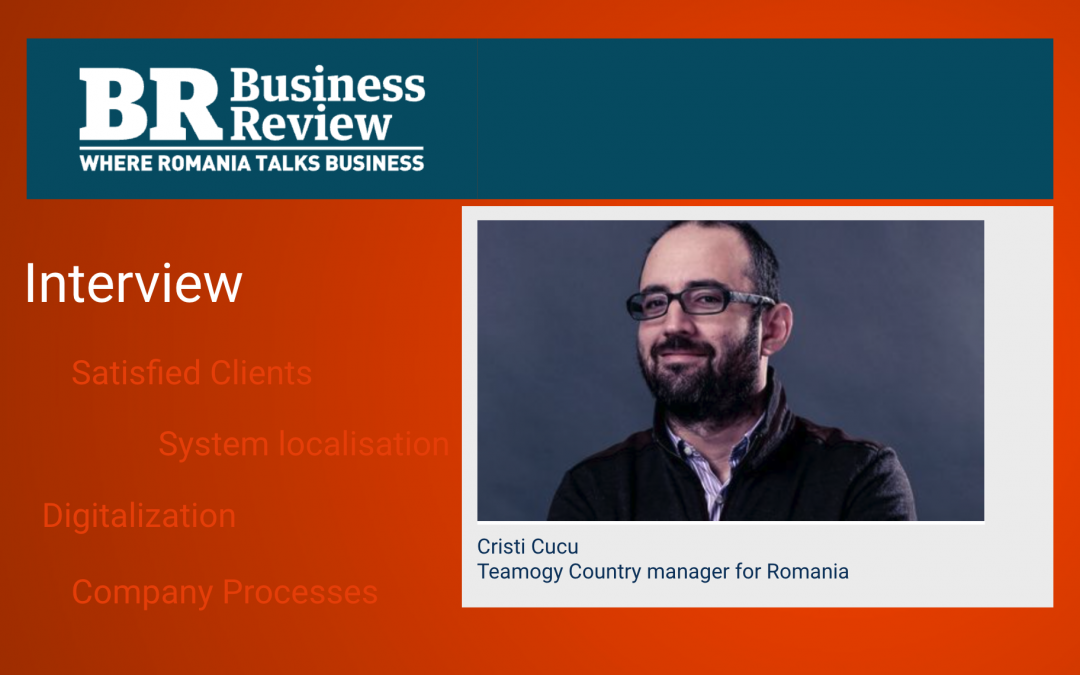
Sophisticated Teamogy localization
Teamogy is becoming an essential everyday tool in companies around the world. Why is it successful in getting clients in many countries? And what exactly does tailoring a system to a particular market look like?

A better overview of the company’s finances
The new version Teamogy 3.10 will provide you and your team with even greater financial control through bank statement processing. Additionally, Teamogy will simplify the creation of client budgets with predefined price list items and many other enhancements.

Company’s resolutions for the next year
What about a company’s goals for the new year? The Teamogy system can help you fulfill your company resolutions and goals.
Using AI Assistant in Teamogy
AI Assistant We have newly integrated an AI assistant (ChatGPT-4 Turbo) into Teamogy. Every Teamogy user can now use it to make working with documents more comfortable and efficient. Implementig the new ChatGPT 4.0 Turbo version brings better experience to Teamogy...Version 4.0
What is new in Teamogy? Check the newest Release notes.
How To Work With Modals
How To Work More Efficiently With Modals We have expanded the possibilities how to work with modals in Teamogy. Thanks to this, working with them is now more efficient, faster and user friendly. Below we will show you how to do it: possibility to minimize...Duplicity Check of Purchase Invoice
Purchase Invoice Teamogy allows you to enter Purchase Invoices issued by your Suppliers. A Purchase Invoice is a basic type of Invoice that we receive from Suppliers. Check the GIF below to see how to compose the Purchase Invoice. There are a few details that are...
Teamogy makes our lives easier
BLOG 1. Accurate contacts database 2. Company documents in one place 3. Profitable jobs without chaos 4. Accurately-crafted quotations 5. Clear schedule of staff workload 6. Quick and easy time tracking 7. Effective cooperation with suppliers 8. Jobs billed accurately...How to log in an existing user from a new device
This chapter describes how to log in into Teamogy using Authenticator app.
How to log in with an Authenticator for the first time
This chapter describes how to log in into Teamogy using Authenticator app.
How to download Authenticator
This chapter describes how to download Authenticator app.
Price Lists Items
Price Lists Items You can simplify the work of creating Sales quotations by preparing price list items. How to activate First of all, you need to activate this feature. Ask your internal Teamogy administrator or contact our support. To activate: Go to Configuration...Assignment of one payment to multiple financial documents
Assignment of one payment to multiple financial documents.
Assignment of partial payment to finance document
Teamogy allows to assign bank transactions to financial documents.
Advanced work with bank transactions
See how you can work with Bank transactions in Teamogy.
Assignment of bank transactions to financial documents
Teamogy allows to assign bank transactions to financial documents.
Manual assignment of bank transactions to financial documents
Overview of all bank statements imported in Teamogy.
How to import bank statements in Teamogy
This is how to import bank statements in Teamogy.
How to activate and set up bank statements in Teamogy
This is how to activate the functionality of importing and processing bank statements in Teamogy.
Bank statements – how it works in Teamogy
Teamogy allows you to import bank statements in different formats and allocate each row of bank statement to relevant financial document.
Version 3.10
What is new in Teamogy? Check the newest Release notes.
The Back Button and Search Retention
Back Button And Filter Retention 1. Opening in Modal window If you use filters in the views for better searching, open document in a smaller window – Modal (one click). When you close the window, you will be left with the search results. 2. Opening Teamogy...Using Chat in Jobs, Documents, etc…
Using Chat in a Job, Task, Document – Discussion You can discuss individual documents, jobs, invoices and other entities in Teamogy. The “Comments” tab can be used either for writing notes or for active discussion. Just click on the “eye”...Version 3.9
What is new in Teamogy? Check the newest Release notes.

Interiors with love …and with overview.
The team of architects, planners and interior designers from Premiers interiors have been creating interiors with love for 5 years and have already completed more than 100 projects. We chatted with Patrick Cirbus, COO of Premier Interiors about the projects, working with clients and also what Teamogy has brought to the company on a daily basis.
Version 3.8
What is new in 3.7 Teamogy version? Check the newest Release notes.

Remote work – does it apply to your company?
Remote work – an increasing trend today. Does it apply to your company? And if not, isn’t it a pity?

Have your company at your fingertips
People create many different documents within a company every day. At the same time, they receive a lot of documents.
Common settings
Common settings In the section Common Settings, you will find the most common configuration of Teamogy related to the configuration of the system logo, letterhead, as well as fonts and personal name order. Let’s take a closer look: 1. Logo for headed paper 2....How To Change a Job Position of User in Teamogy
How To Change a Job Position of User in Teamogy Once you create a new User, you can mention a job position. Our person Will Funk is at TM (Traffic manager) position in our Company. After the first save, the information about the job position of the user will not show...How to Cancel Any Company
How To Cancel Any Company You can easily cancel any contact, or brand in every company. 1. Go to the company that you would like to edit the details. 2. Choose the contact and click on the icon – Mark as invalid. 3. Press OK button. 4. Perfect! You have disabled the...Version 3.7
What is new in 3.7 Teamogy version? Check the newest Release notes.

Do It Smart – Keep Smart Documents in Your Company
People create many different documents within a company every day. At the same time, they receive a lot of documents.