
Leads
In this short manual, we will introduce Leads in Teamogy and explain how they can be used to record and manage potential business contacts before an Opportunity is created.
A Lead represents an initial contact or a potential business case that is still at an early stage. It allows you to record important information even when you do not yet have all the details required to create a complete company record or Opportunity.
To give you a better idea, you can import leads from external sources-for example, web forms, campaigns, or other systems-using Teamogy Flow or an API connection.
How to create a new Lead?
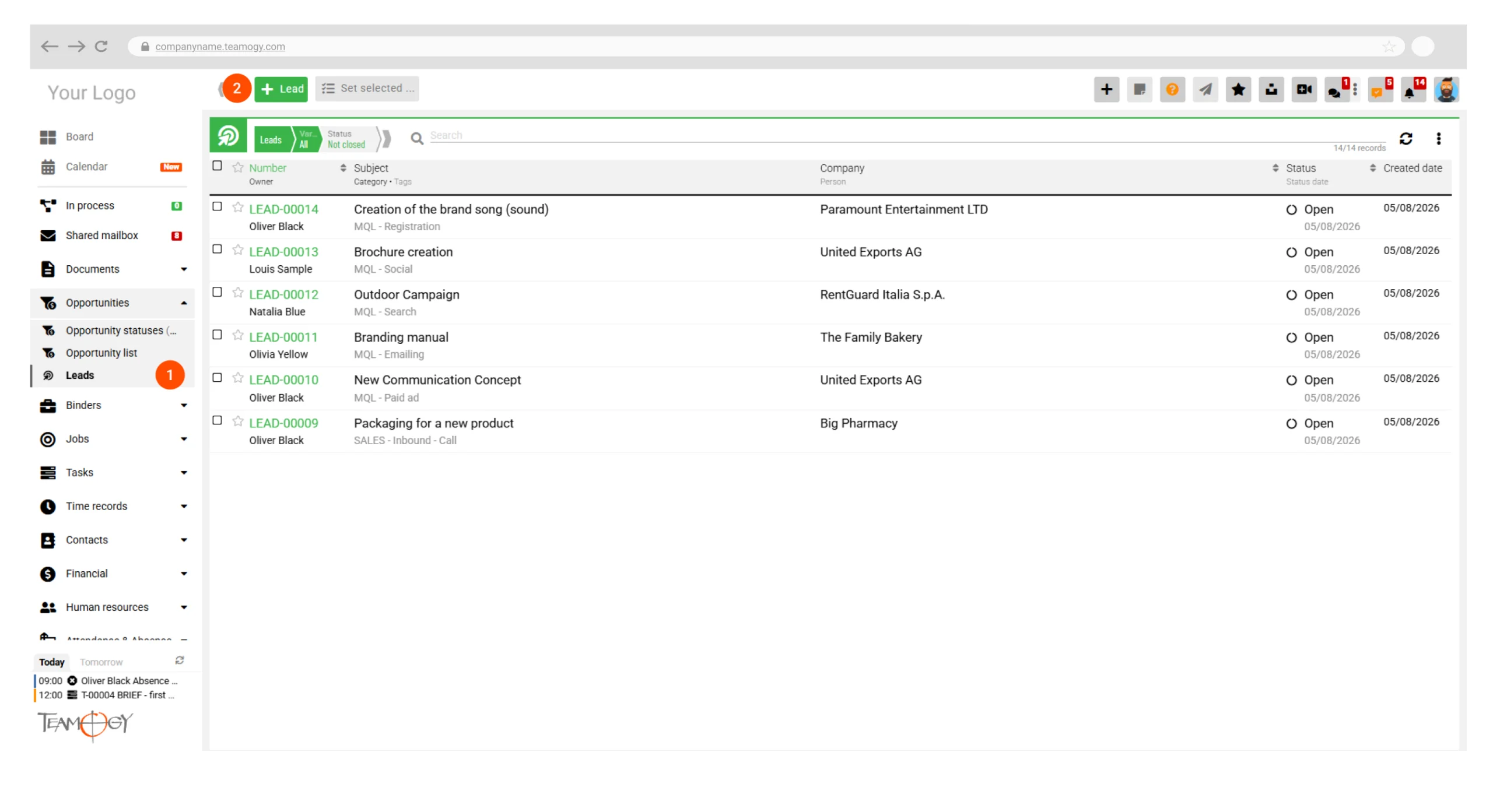
- In the Leads section (1), click + Lead (2).
- Enter the available information about the contact or potential business case.
- You do not need to have all the information at this stage. A Lead can be created with only the details currently available and completed later as the business relationship develops.
- After entering the information, click Save or Save and Close at the top of the page.
Transfering a lead to an opportunity
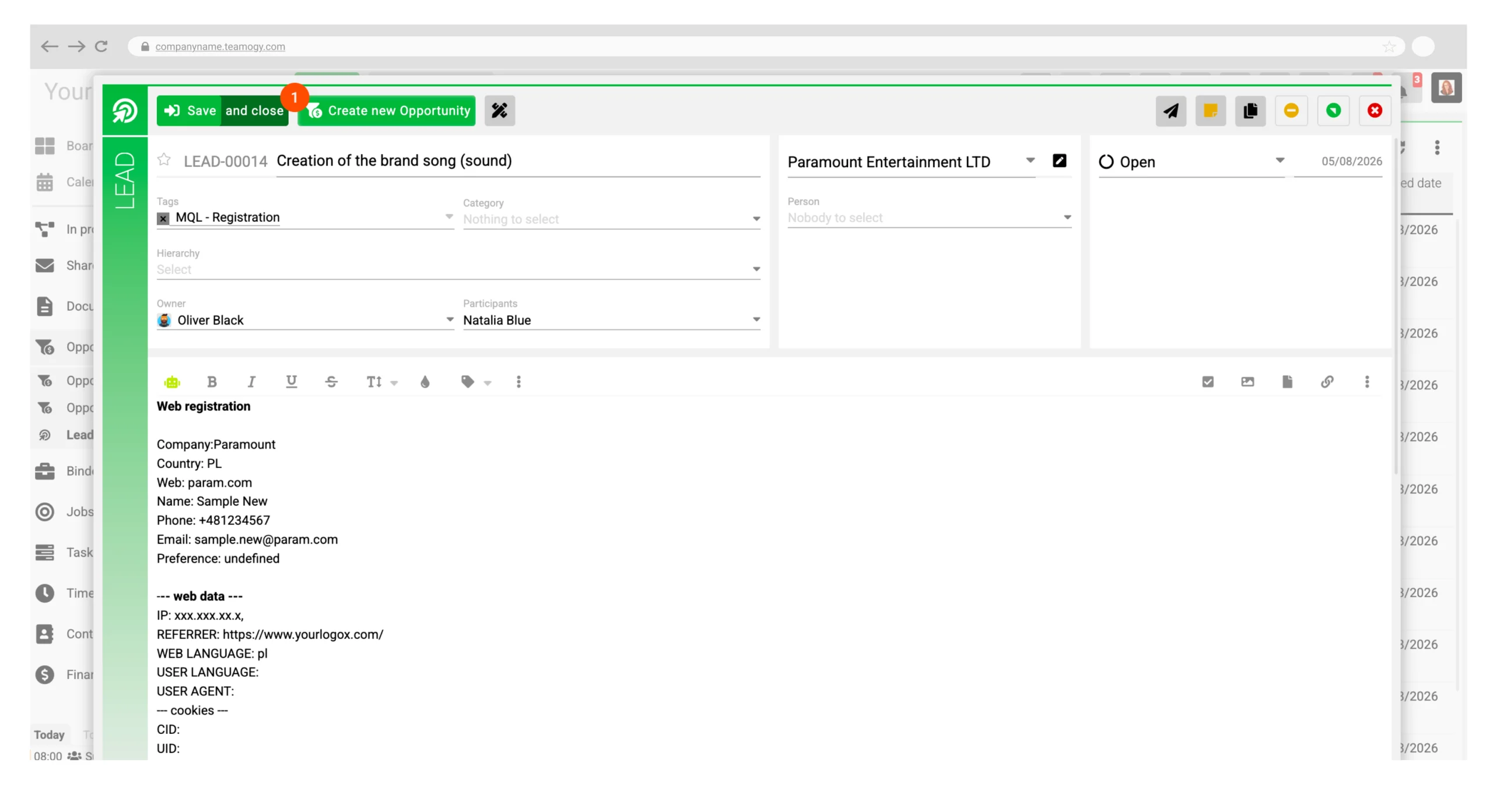
When a lead becomes more developed, it can be easily converted into an opportunity with a single click. Opet the lead, edit and click Create new Opportunity (1).
Related articles:
Get in Touch
If you have problem or need further assistance, do not hesitate contact Teamogy Support. Use online chat (inside Teamogy or everywhere on www.Teamogy.com in the lower right corner) and you will get prompt reply.